Design a steel gate. Get the whole order, instantly.
We built Fence & Gate Builder a configurator for custom metal gates and fence — enter the opening, watch the gate draw itself to exact dimensions, and get a complete steel takeoff: every part, every cut, the total weight, the leftover, and the cost. No more pricing a job by hand.
Every gate is one-off — and every quote was done by hand.
Custom gates are never the same twice. Change the opening by a few inches and the post height, the frame tubing, the picket count and spacing, the steel weight, and the cost all move with it. Pricing a job meant sketching it out, working the math on paper, and hoping the cut list matched what actually went on the truck.
Fence & Gate Builder wanted to put that whole calculation into a tool a fabricator could trust — one that draws the gate, lists every part, and prices the steel the instant the dimensions change. It is exactly the kind of operational problem we solve through custom software and web application design.
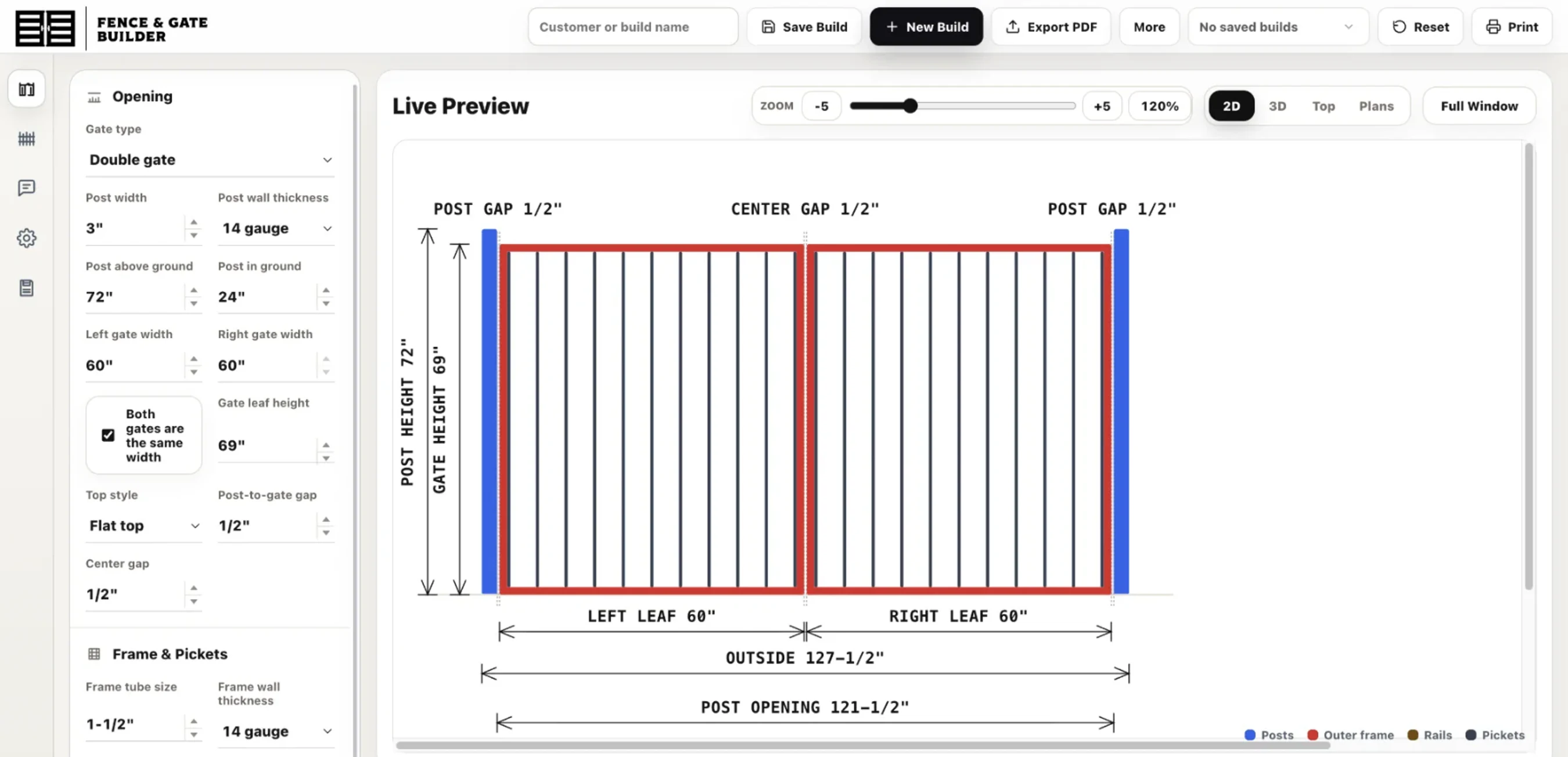
Set the opening. Watch the gate draw itself.
Pick single or double, type in the opening and post heights, choose a top style and frame tubing, dial in picket width and spacing — and the gate redraws live, fully dimensioned. Post gaps, center gap, leaf widths, outside width, post opening: every number the fabricator needs to cut to is right there on the drawing, updating as they type.
The same build can be viewed four ways — 2D, 3D, top, and plan — and exported to PDF for the shop floor or the customer.

Every part to order, weighed and priced.
The Materials tab turns the drawing into an order. Each part — posts, frame verticals and horizontals, pickets — lists its tube size, wall gauge, cut length, quantity, and shop notes. Below it: the finished gate weight, the steel weight to actually buy in full sticks, and an estimated metal cost at the current per-hundredweight rate. It even tracks the leftover, so there's no guessing at the supply house.
A cut list the shop can build from.
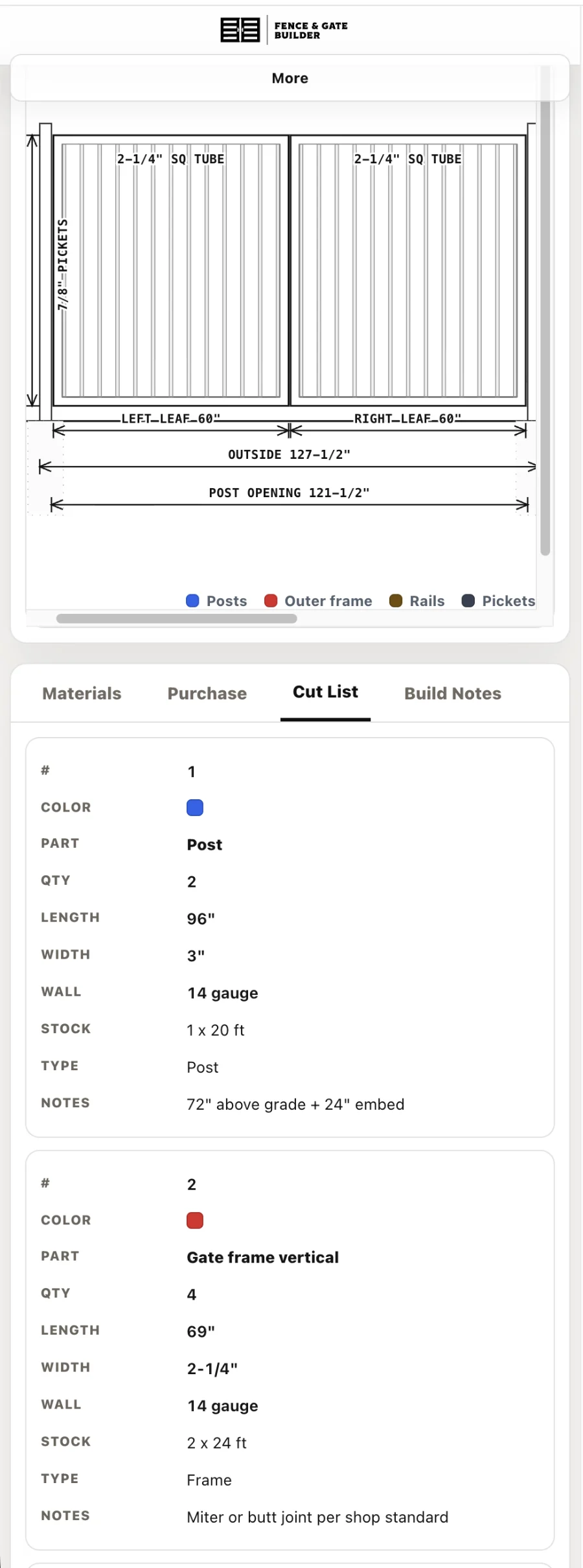
Flip to the Cut List and the same job becomes a numbered, color-coded run sheet: part name, quantity, length, width, wall gauge, the stock each part comes from, and the cut notes. The fabricator works straight down the list — no re-measuring, no translating a sketch.

One screen, design to order.
Everything lives on a single working screen: the spec panel on the left, the live drawing up top, the takeoff below. Name the build, save it, start a new one, or export the whole thing to PDF — all from the toolbar. It works the same on a laptop at the desk or a tablet out in the shop.

The whole gate, in your hand.
The same builder runs in the field — pull up a saved gate on a phone at the bench, check a cut length, or re-spec on the spot when an opening measures up different than the drawing said. The drawing, dimensions, and full cut list all stack into one scrollable screen.

Brendan Collins
Brendan leads UI/UX, branding, and front-end execution — making software simple, clear, polished, and easy for real people to use.
On Fence & Gate Builder his focus was a tool that draws the gate and gets the steel exactly right — real weights, honest waste, and a cut list a shop can build from without a second guess.
Got a job you still price by hand?
Start a project ↗
NEFCO
A contractor-first storefront with one-tap reordering for a 70-branch supplier.

Freestyle Event Services
A cinematic, photography-led website for Central California's largest event company.

Welker's Custom Cut Lumber
A live board-foot quoting platform for custom-milled cedar.
Tell us what's slowing your team down.
Send us a note. We'll show you what a system built around your business could look like — no obligation, no jargon.