Gateworks Supply Storefront + operations console
Find the part.Fill the order.Find the part.Fill theorder.
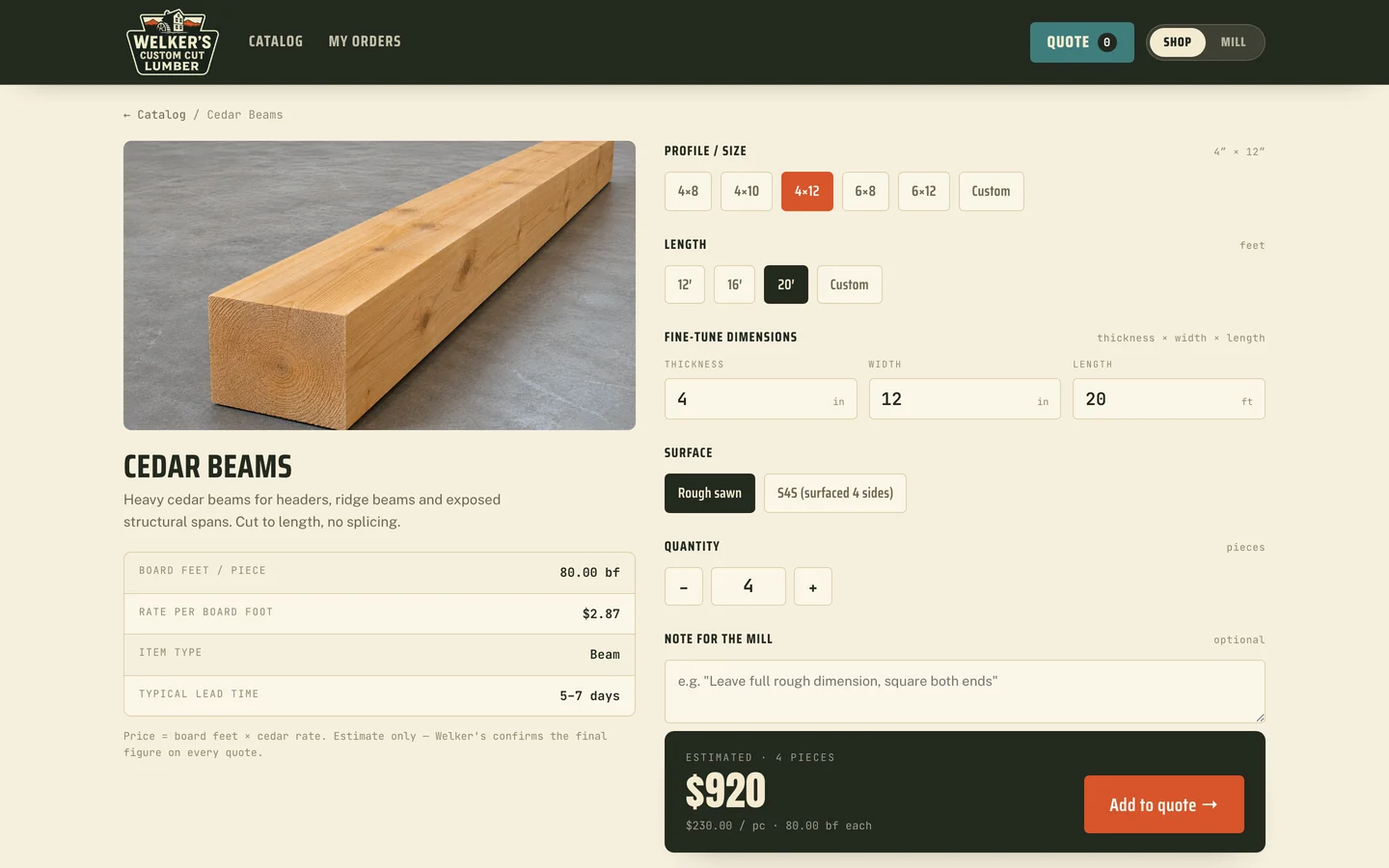
Collins Creative designed and built a storefront and a staff console for Gateworks Supply, a Bakersfield metal and gate-hardware supplier. Contractors search a 915-product catalog and choose pickup or delivery; the counter sees each order as a pick ticket.
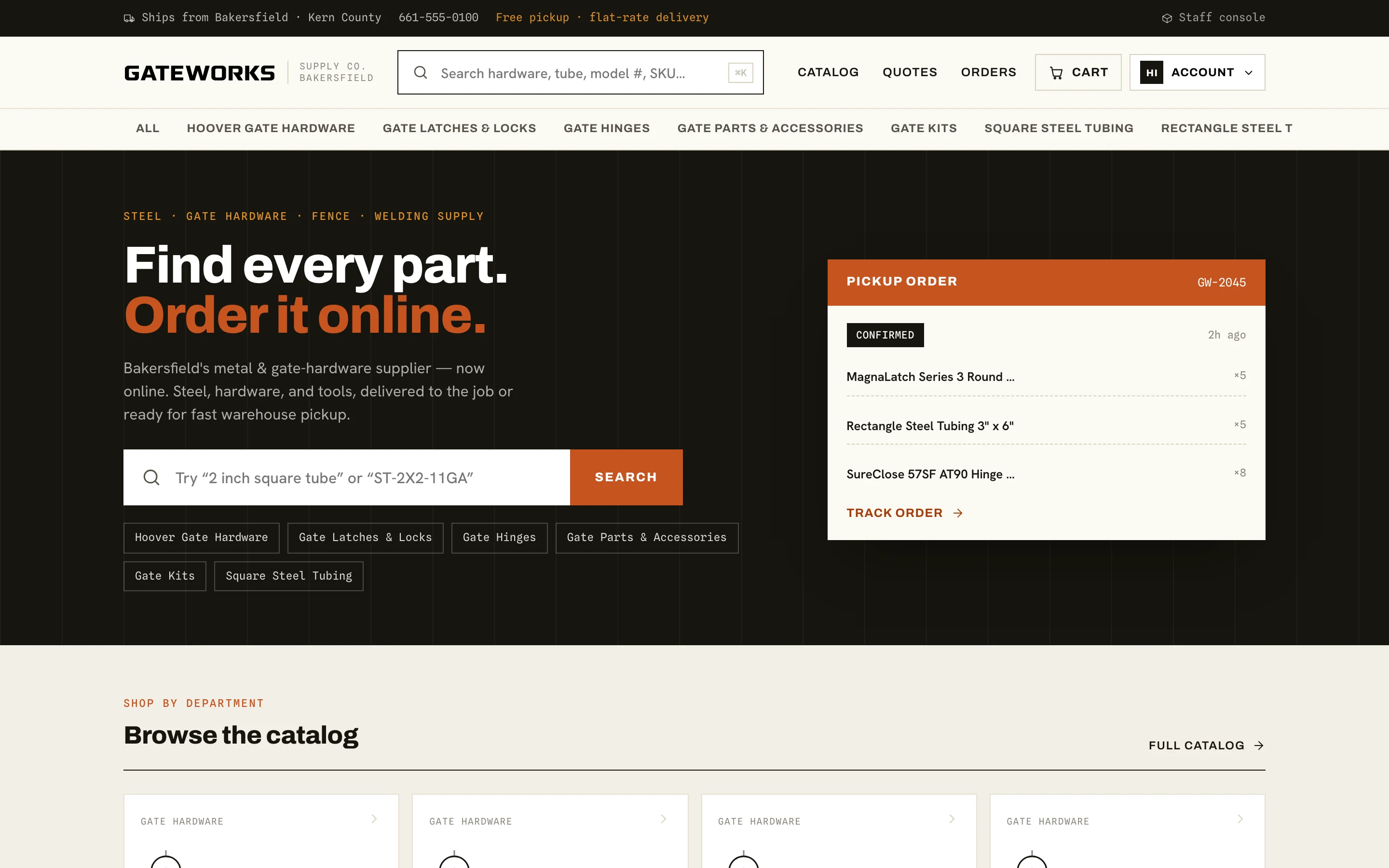
The storefront, interactive
Search it.
Build a cart.
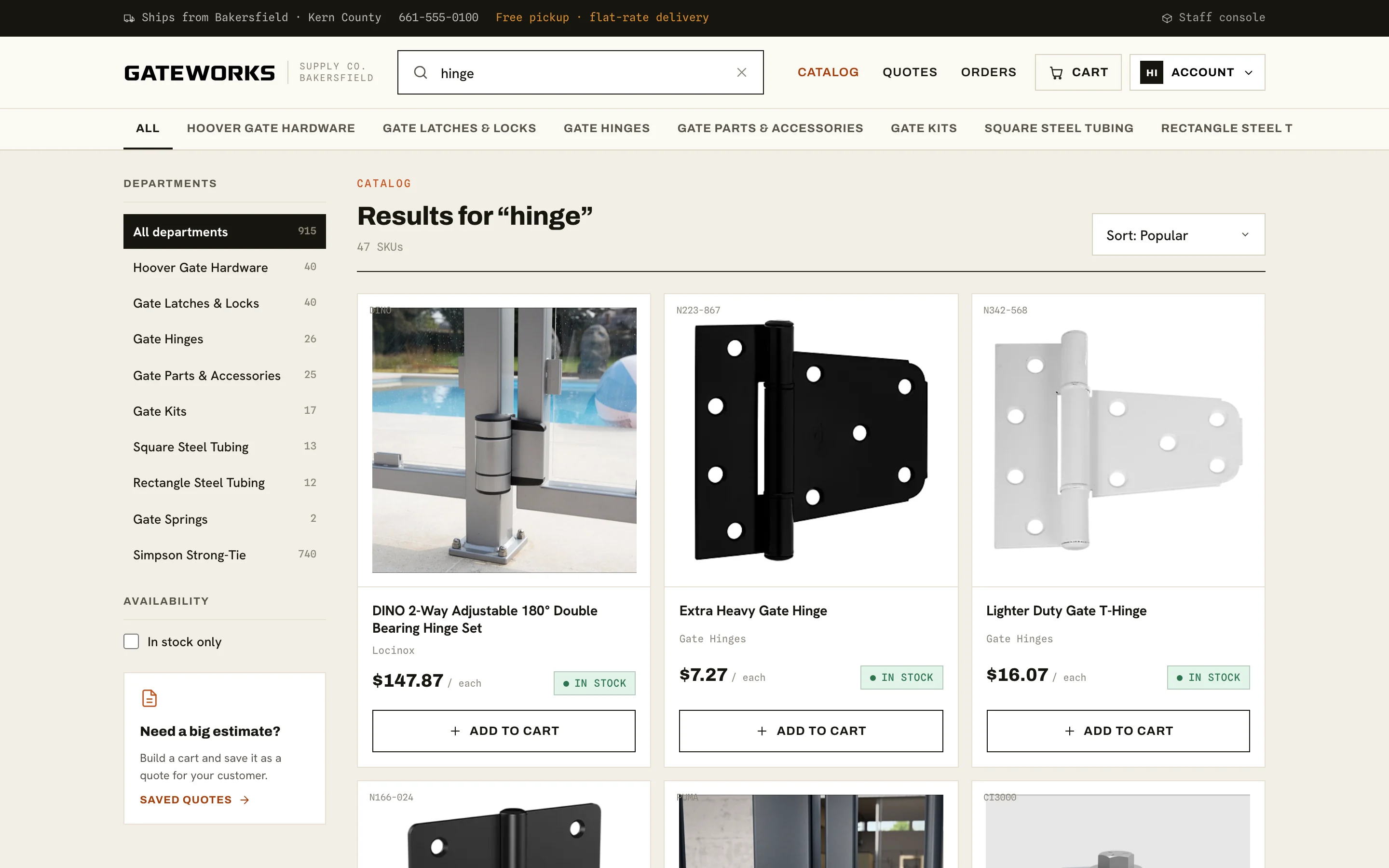
Search by part name, tube size, or SKU, open a product, and walk the cart to checkout. The Staff console link in the top bar opens the operations side.
This copy runs entirely in your browser. Checkout creates a test order with no payment, and the sign-in screens are demo flows.
The challenge
The catalog lived behind the counter.
A supply order is specific: a 3 by 3 tube in 11 gauge, a self-closing hinge, a latch by part number. Finding the right one, checking stock, and arranging pickup usually meant a phone call or a trip to the counter.
The store had to speak the trade's language, then hand every order to the people who pull it from the shelf without anyone retyping it.
The buying path
Stock, price, and pickup
in one decision.
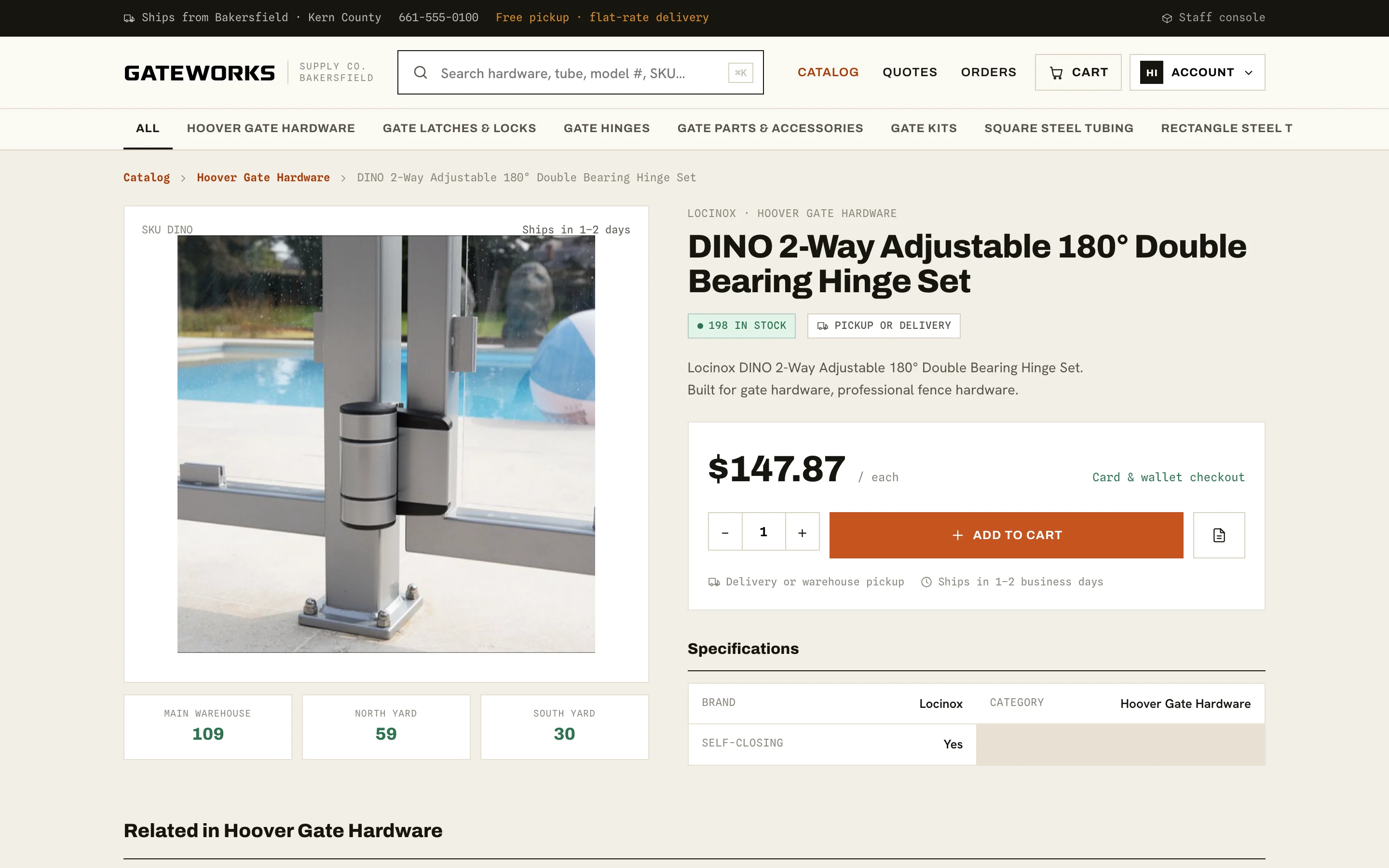
A product page answers the questions a contractor would otherwise call about: how many are on hand and where, what it costs per unit, and how it gets to the job.
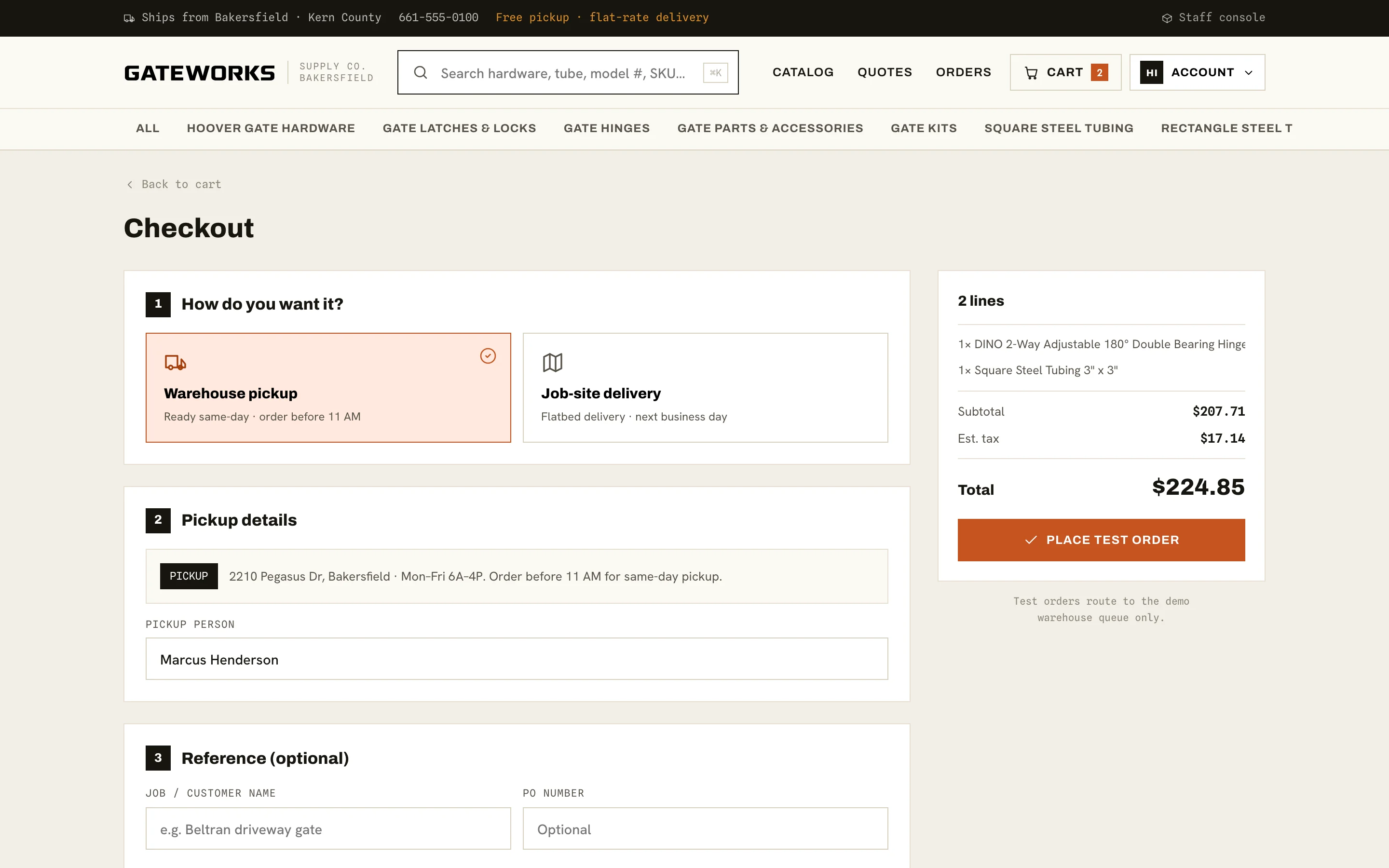
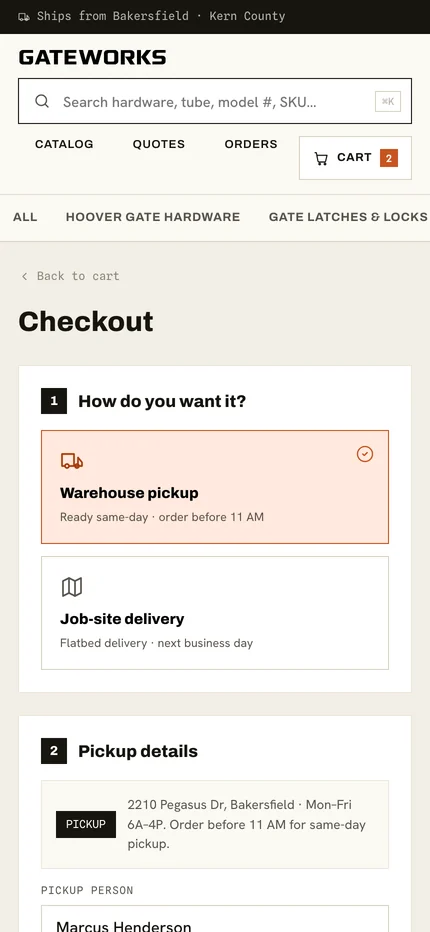
Checkout starts with that same choice, warehouse pickup or job-site delivery, before anything else is asked.
Behind the storefront
Every order lands
as work to do.
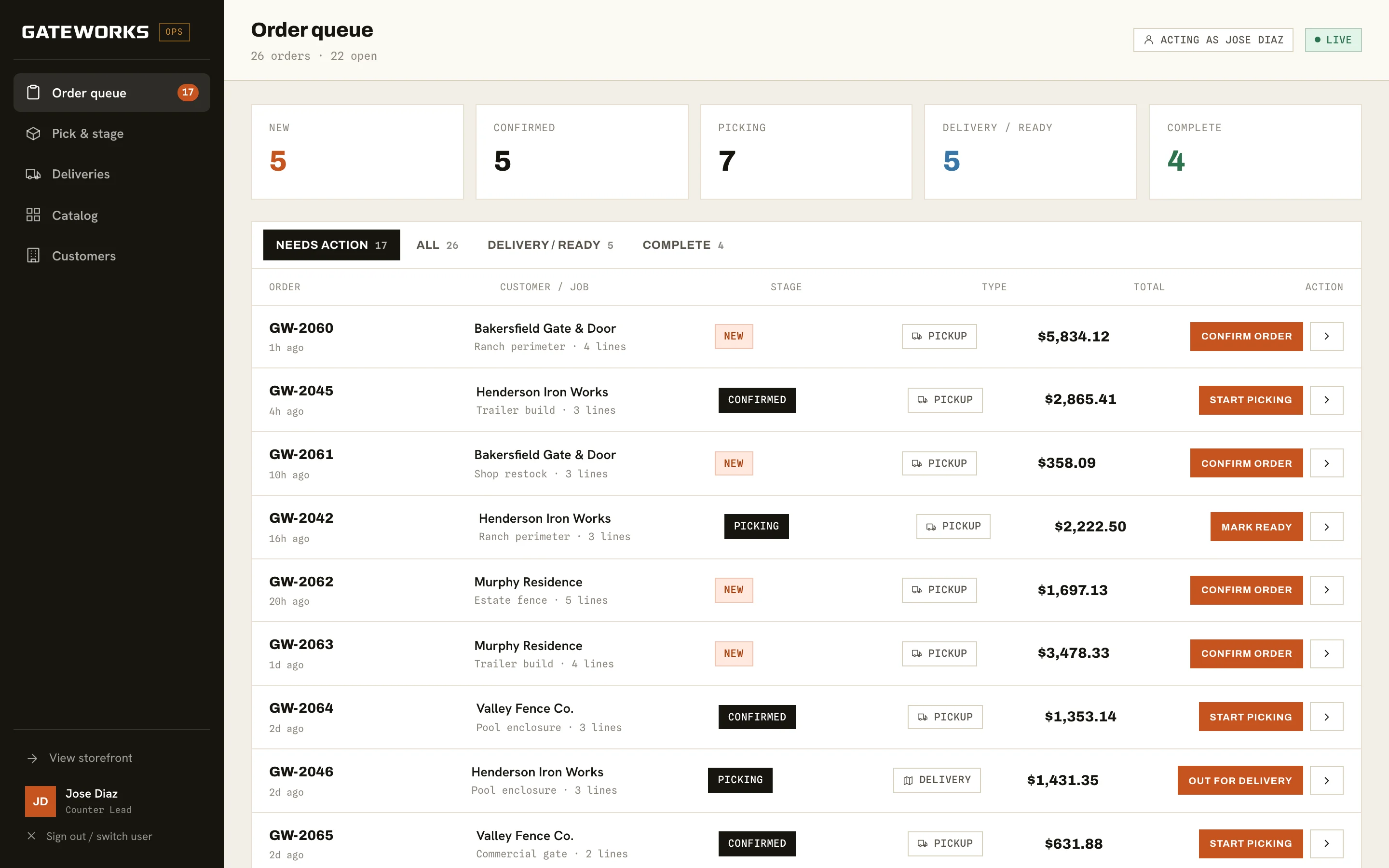
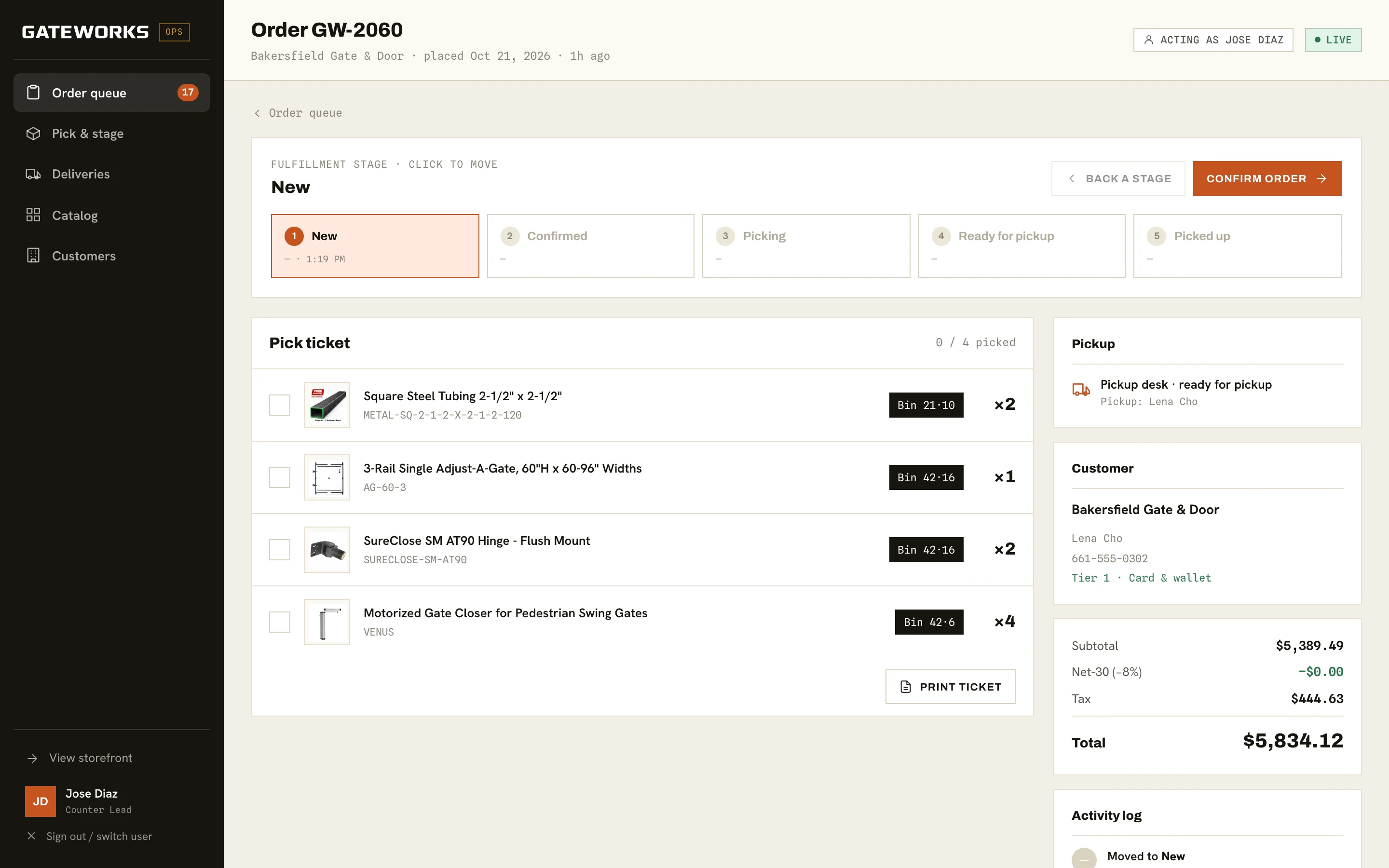
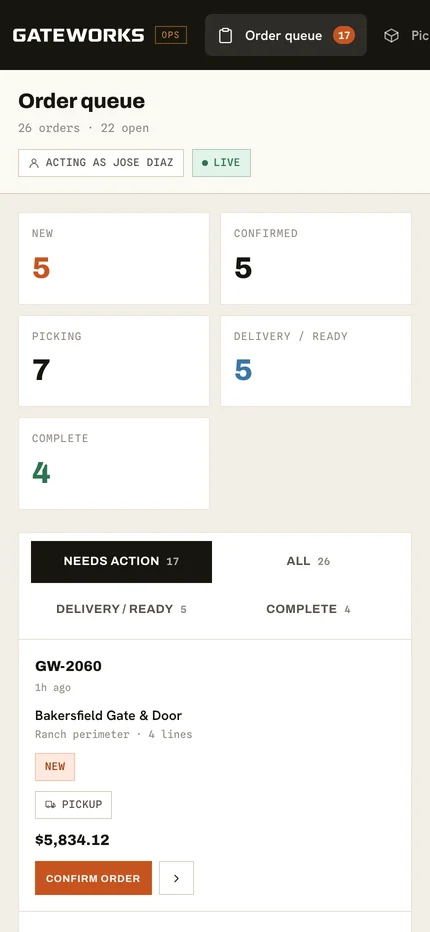
Orders from the storefront arrive in a staff console built on the same store. The queue shows each order's stage, pickup or delivery, total, and the one action that moves it forward.
Staff sign in by profile, so each change is recorded in the order's activity log under a name.
- NewPlaced online
- ConfirmedAccepted by the counter
- PickingPulled from the bins
- ReadyAt the pickup desk or on the truck
- CompletePicked up or delivered
What needs action now.
A pick ticket, not an email.
On a phone
Ordered from the truck.
Picked from the floor.
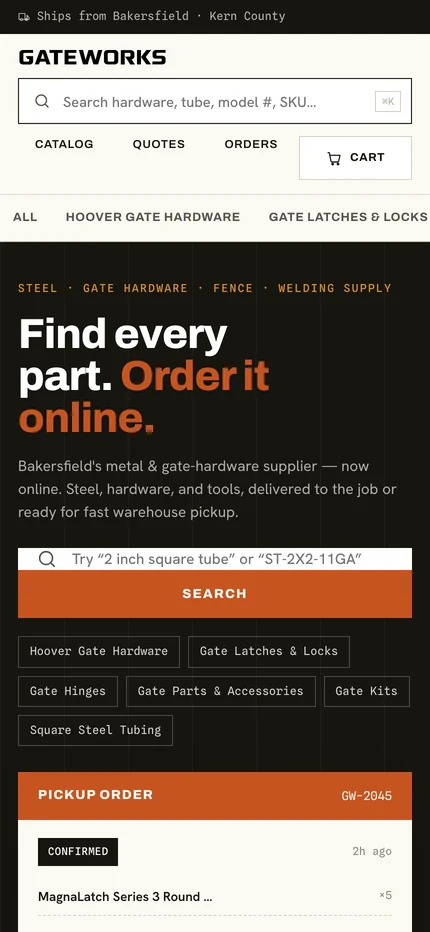
On a phone the search bar stays at the top of every page and departments become a scrolling row. Checkout stacks the pickup and delivery choice first.
The staff console reflows too: stage counts become a two-column grid and each order becomes a card with its action button.
What we made
One store,
two sides.
Trade catalog and search
915 products across nine departments, searchable by name, size, or SKU, with department counts and an in-stock filter.
Product and cart
Stock by location, unit pricing, quantity controls, and carts that can be saved as quotes.
Pickup or delivery checkout
A four-step checkout that starts with fulfillment and takes a job or PO reference. Payment runs in test mode.
Staff operations console
An order queue, pick tickets with bin locations, pickup and delivery views, catalog and customer screens, and a per-order activity log.
Checkout is where
the counter's work begins.

Project lead
Nathan Staker
Nathan led the architecture, the shared order store, and the operations console that connects the storefront to the people filling each order.
The deciding judgment was to treat the catalog, cart, order, and fulfillment stage as one record. The customer's order and the counter's pick ticket are the same data, viewed from two sides.
Meet the studioYour next chapter
Still taking
orders by phone?
If your catalog lives behind a counter, we can put it online and route every order straight to the people who fill it.
Start a project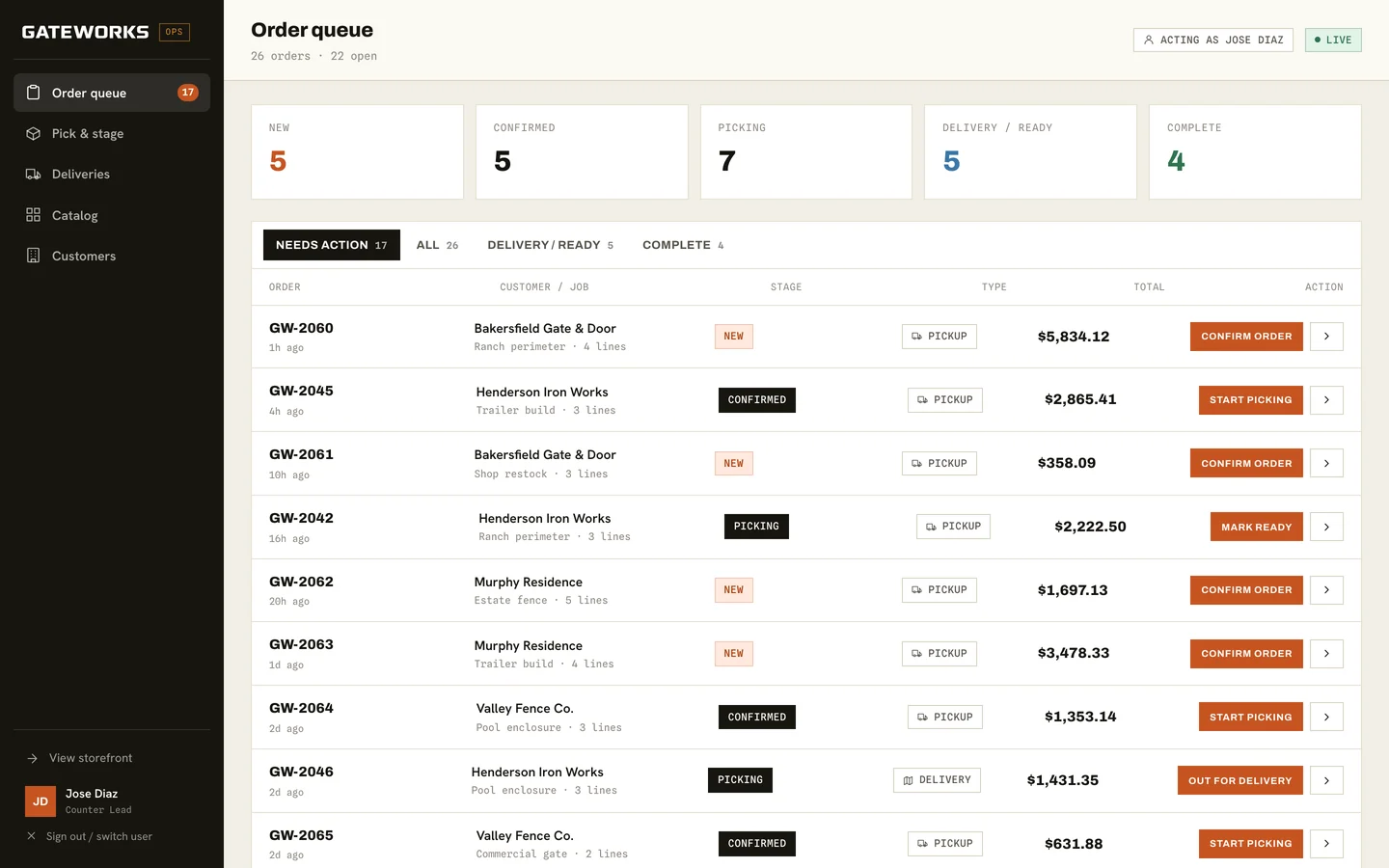
More Collins Creative work