Welker's Custom Cut Lumber Ordering prototype
Custom cuts,priced while you type.Custom cuts,priced whileyou type.
Collins Creative designed and built a working ordering prototype for Welker's, a Fresno lumber mill: a catalog, a quote builder that prices every cut by the board foot, and an order board the mill uses to move each job from quote to pickup.

The prototype, interactive
Build a quote.
Then run the mill.
Configure a cut and watch the price change, add it to a quote, then switch to Mill to open the order board and move a job toward pickup.
The order server is replaced by your browser's storage here. Placing an order or sending a quote only saves it on this device, and calls and email are switched off.
The quote builder
Pick a size.
See the price.
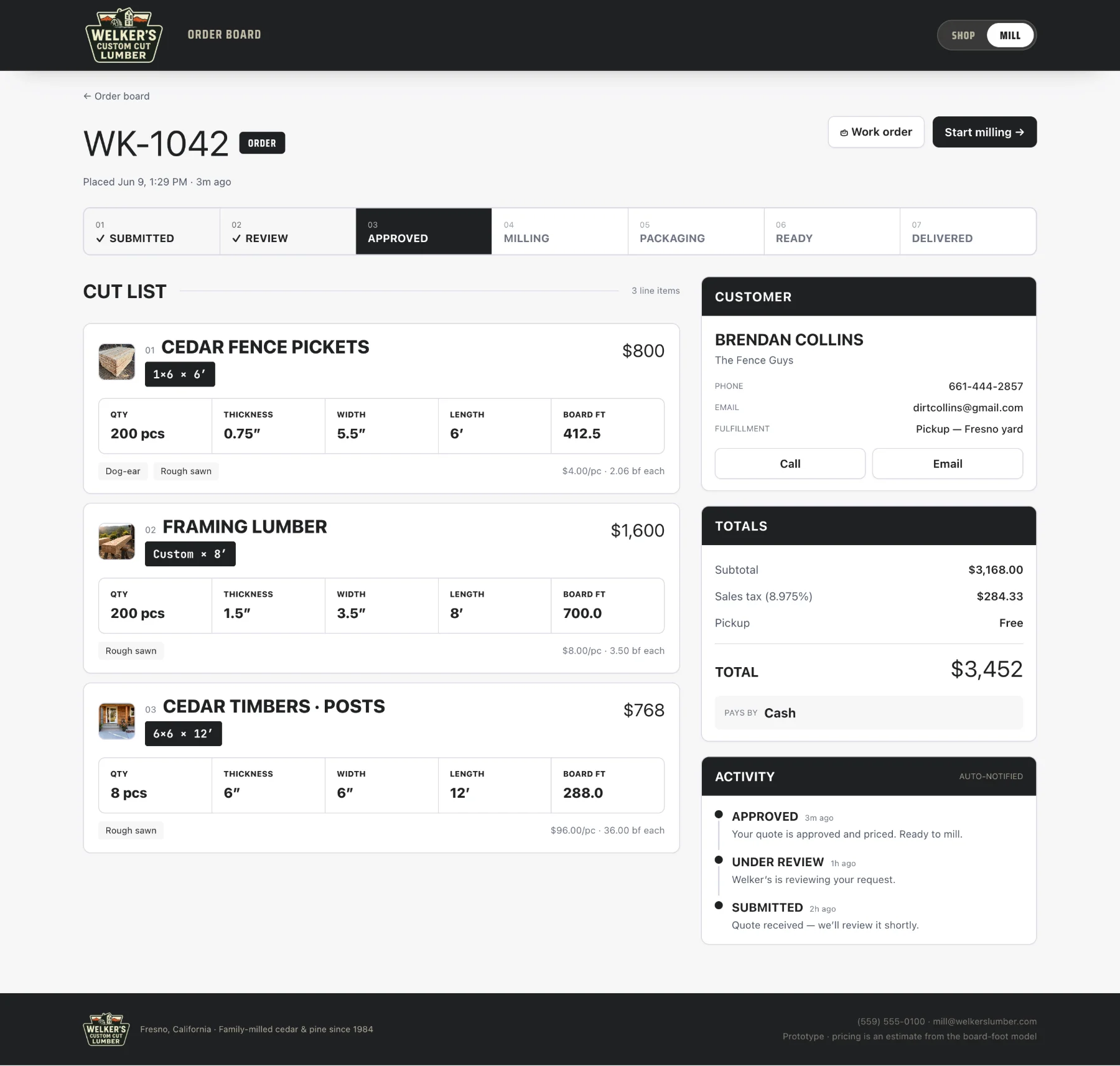
Each product opens into a configurator. A customer picks a profile and length, fine-tunes thickness, width, and length, chooses a surface and quantity, and the estimate changes with every edit.
Static proof from the working prototype
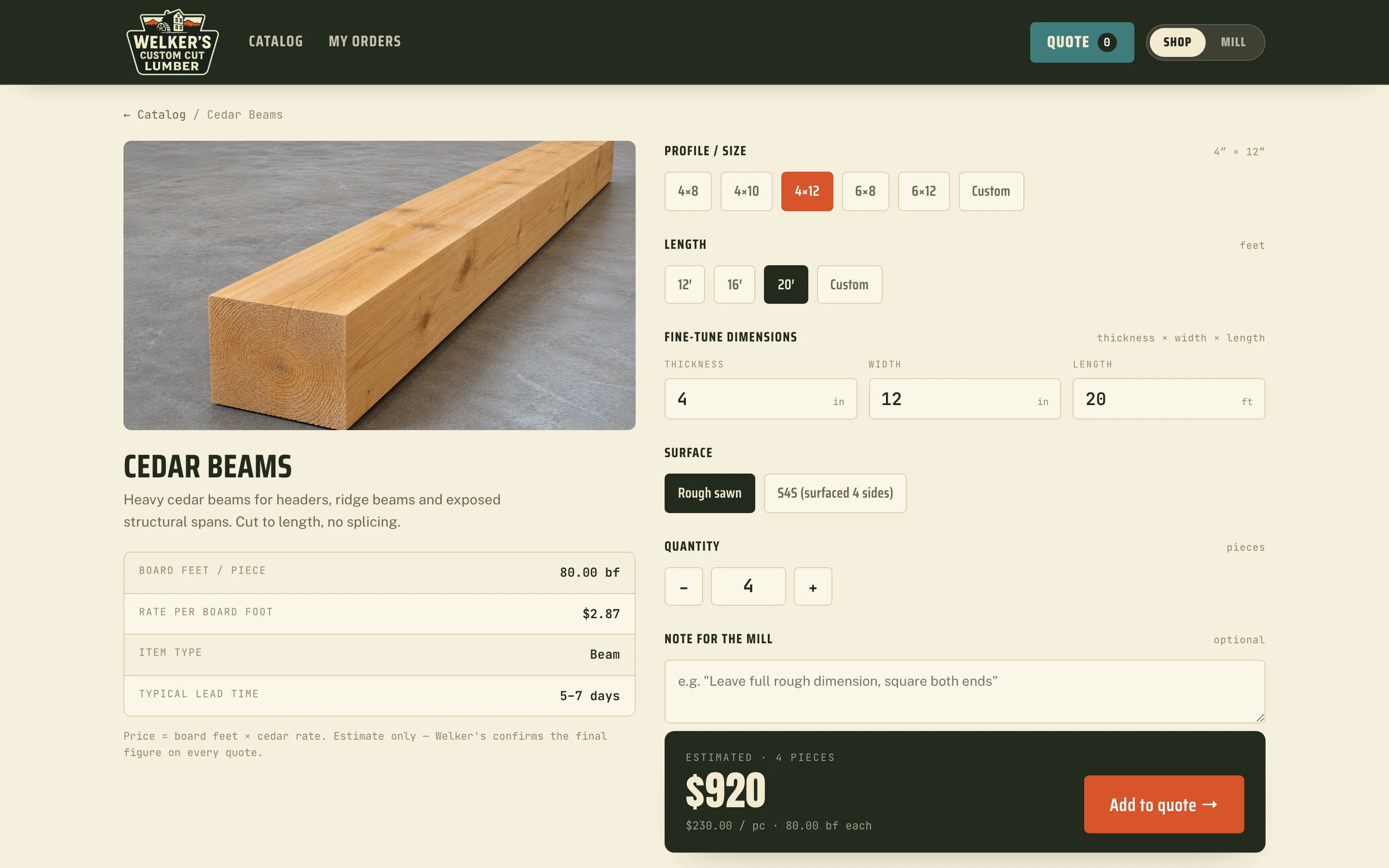
About these screens Captured from a local copy of the prototype. The preview above runs the same code with its order server swapped for in-browser storage, so no order was ever placed.
The challenge
Every order is a different calculation.
Welker's cuts lumber to whatever size a customer asks for, so every quote is different: the price depends on the board feet in each piece, and board feet depend on all three dimensions. Pricing a custom order meant working that out for each customer.
The prototype had to let a customer price their own cut without waiting on a callback, then give the mill an order it could cut from without anyone retyping the spec.
From the customer to the mill
One order.
Two views of it.
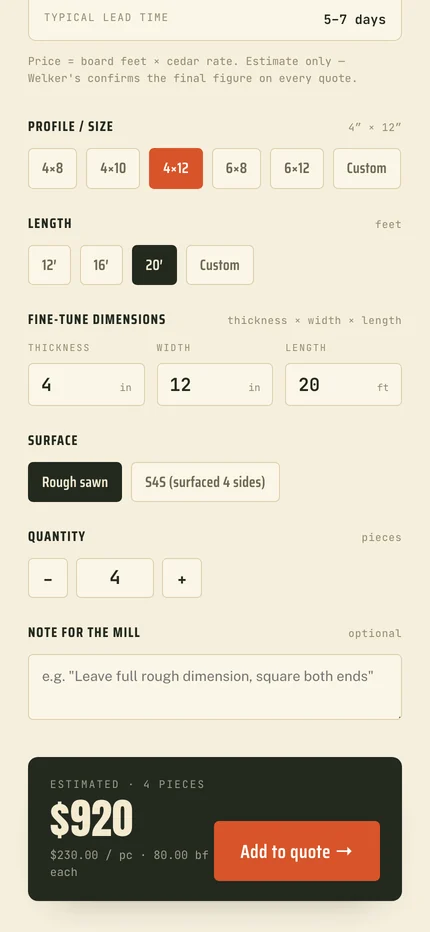
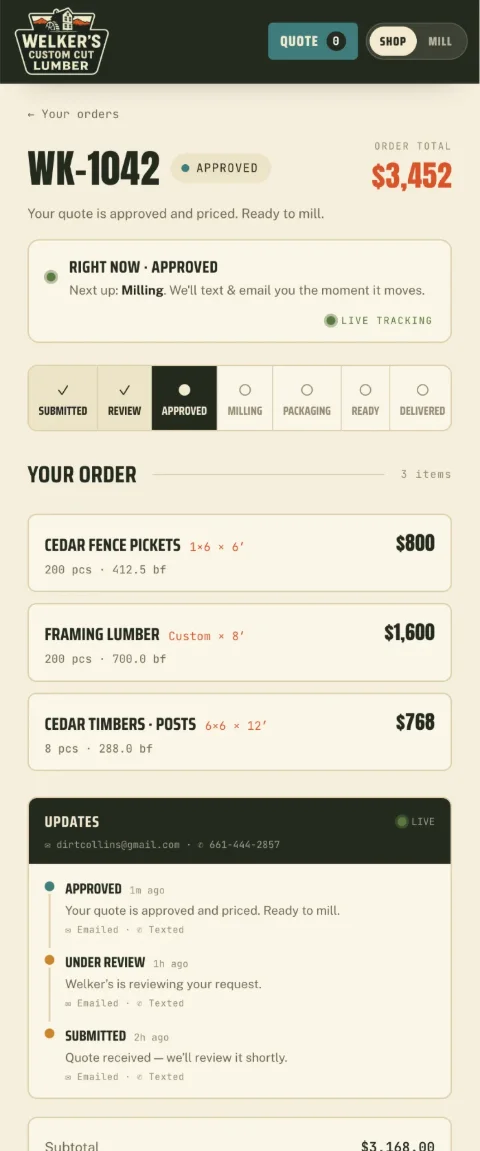
The customer reviews the quote, picks pickup or delivery and a payment method, then either places the order or sends it as a quote request. The same record opens on the mill side as a cut list the crew can work from.
- SubmittedQuote received
- ReviewMill checks the spec
- ApprovedPriced and ready
- MillingOn the saw
- PackagingBanded for pickup
- ReadyCome by the mill
- DeliveredJob closed
Review, then commit.

A cut list, not an inbox.
On a phone at the job site
The estimate
stays in view.
On a phone the configurator stacks into one column: product facts first, then the size and length choices, then the controls. The running estimate and Add to quote stay pinned to the bottom of the screen while the customer edits.
Once an order is in, the customer's order page shows where it sits in the same seven statuses the mill uses.

What we made
The mill's pricing,
in software.
Board-foot pricing model
Board feet per piece times a per-product cedar rate, applied the same way in the configurator, the quote, and the mill's cut list.
Catalog and configurator
One configurator pattern for every product: preset profiles and lengths, custom dimensions, surface and top-cut options, quantity, and a note for the mill.
Quote and order flow
A review step with pickup or delivery, payment method, tax, and a choice between placing an order and requesting a quote.
Mill order board
A staff view that turns each order into a cut list, tracks seven production statuses, and can require a staff PIN for updates.
Price it the way
the mill cuts it.

Project lead
Nathan Staker
Nathan led the architecture, the board-foot pricing engine, and the order pipeline that connects the customer's quote to the mill's order board.
The deciding judgment was to build everything on one calculation. When the configurator, the quote, and the cut list share the same math, the customer's estimate and the mill's work order cannot drift apart.
Meet the studioYour next chapter
Still quoting
by phone?
If your pricing lives in someone's head or a notepad, we can turn it into a quote your customers build themselves.
Start a projectMore Collins Creative work