Lunde Flooring Co. E-commerce + operations software
The store does the math.The console runs the rest.The store doesthe math. Theconsole runsthe rest.
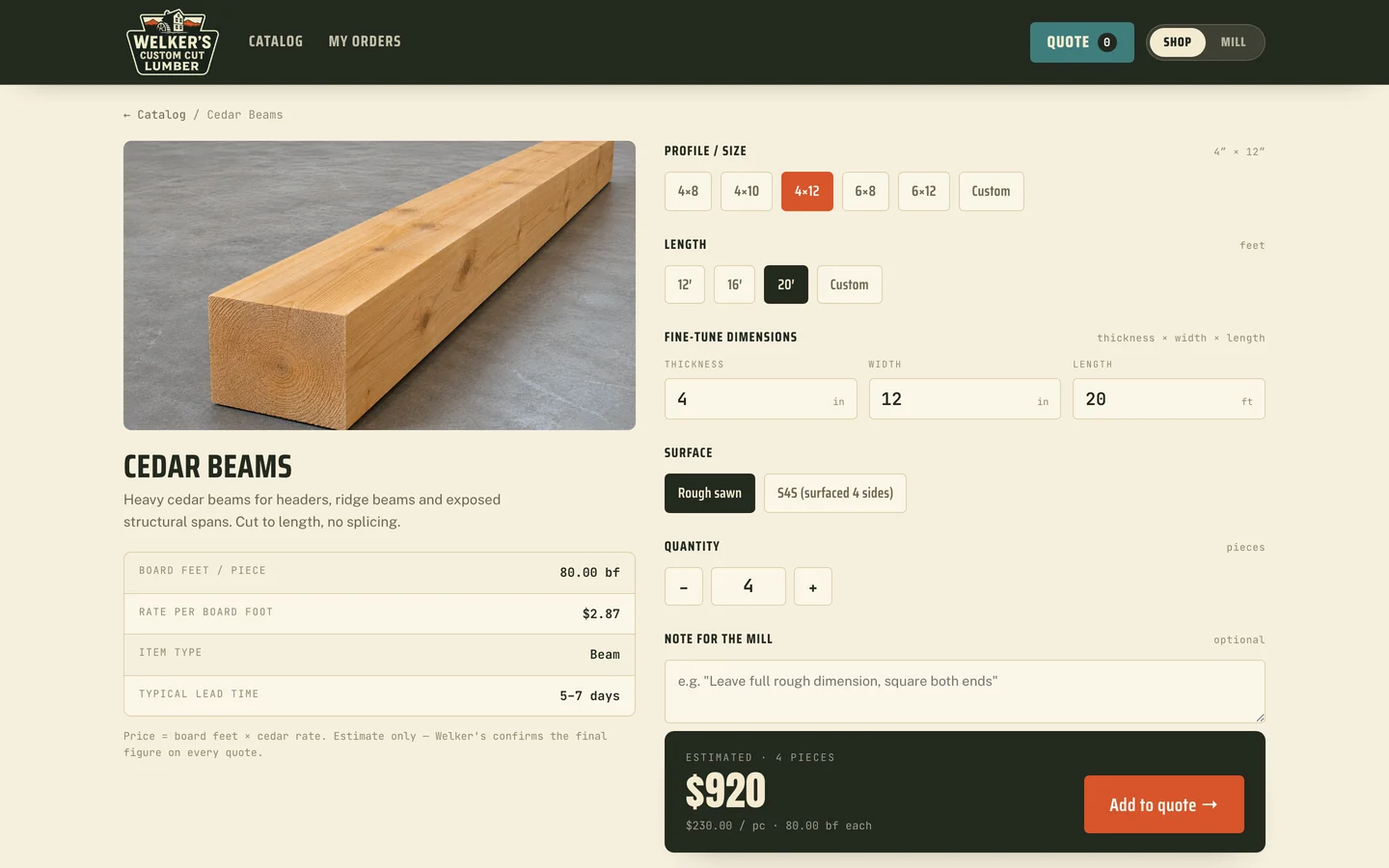
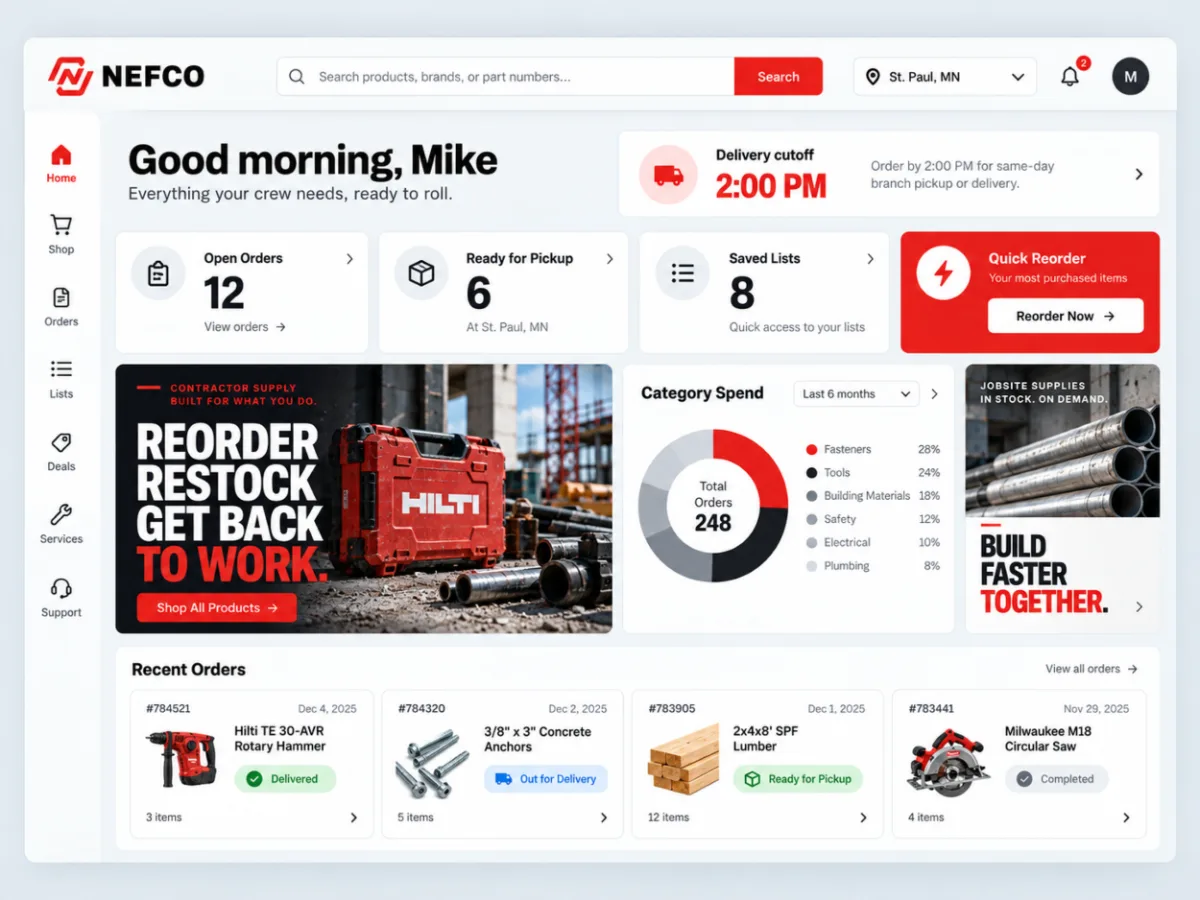
Collins Creative designed and built Lunde's online store and the software behind it: product pages that turn square feet into cartons and a total, a cart and Stripe checkout, customer accounts, and a staff console for orders, inventory, products, and quotes.
The store, interactive
Price a room.
Fill the cart.
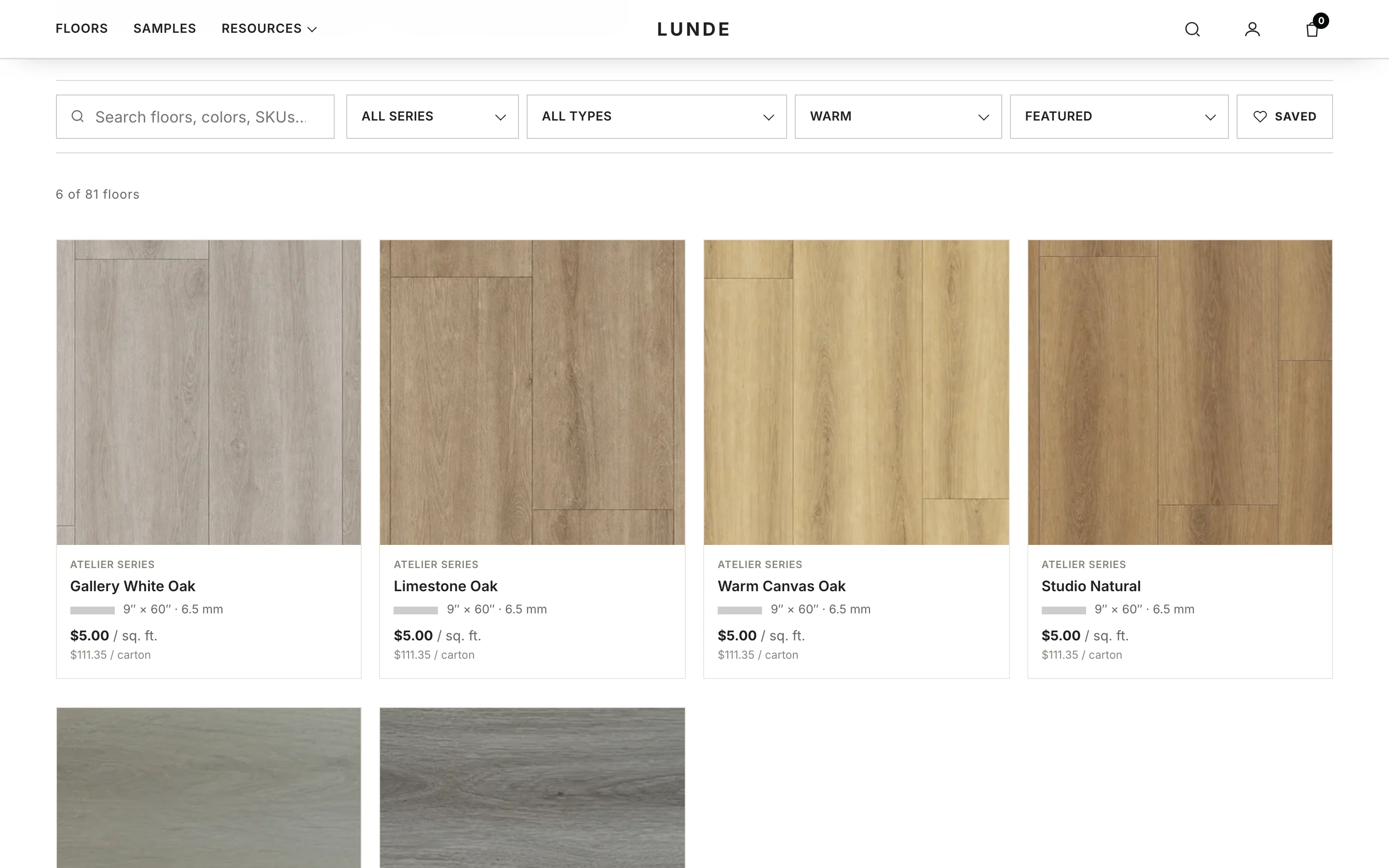
Filter the catalog, open a floor, and enter a room size to see cartons and a total, on desktop or on a phone. Add to cart works and stays in your browser.
This is a snapshot of the live store's public pages. Checkout, sign-in, sample requests, and the contact form are switched off, so nothing is ordered or sent.
The calculator we built
Enter the room.
Get the cartons.
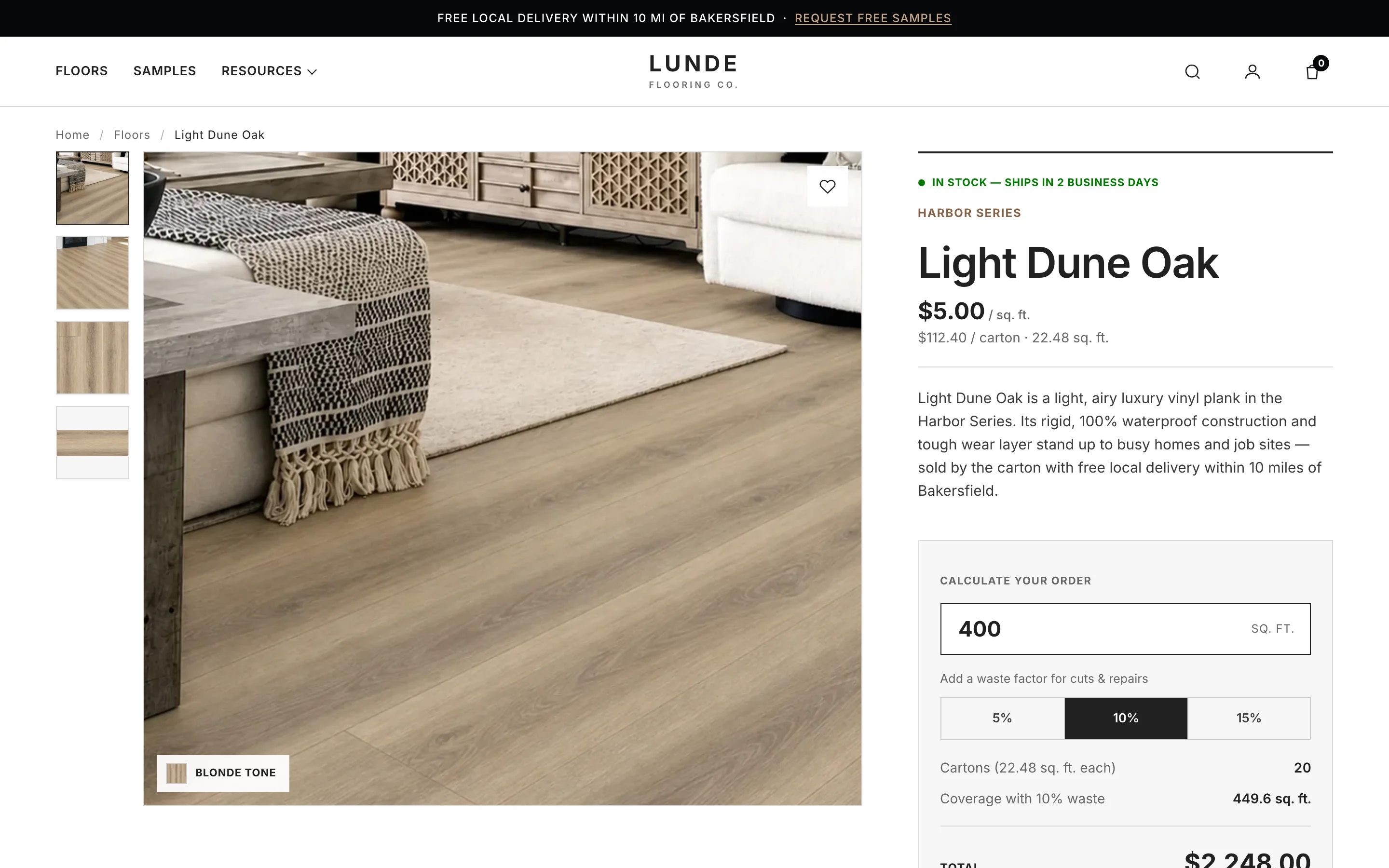
Shoppers think in square feet; the store sells by the carton. We put a calculator on every product page that takes the room size and a waste factor and returns cartons, coverage, and the total before anything goes in the cart. On a phone the total and Add to cart stay pinned to the bottom of the screen.
Captured from the live store, October 21, 2026
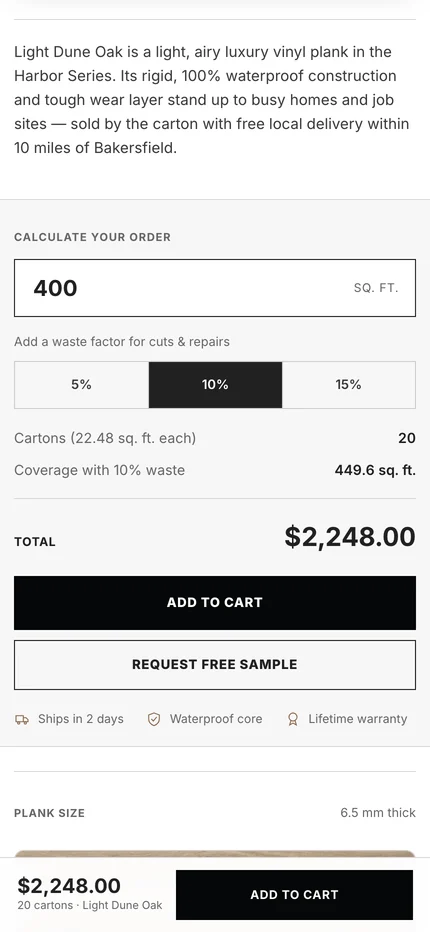
About these screens Captured from lundeflooring.com. The preview above is a frozen copy of the same pages with checkout and every form switched off. Nothing was added to a real cart or ordered.
The challenge
A local shop that needed a real store.
Lunde needed more than a brochure with a phone number. Customers had to be able to narrow a large catalog, price a whole room, and pay online, and the team needed somewhere to see those orders, keep stock right, and change prices without calling a developer.
So we built both halves as one system: the storefront customers use and the console staff run the business from, sharing the same product data.
Behind the storefront
A staff console
built for the shop.
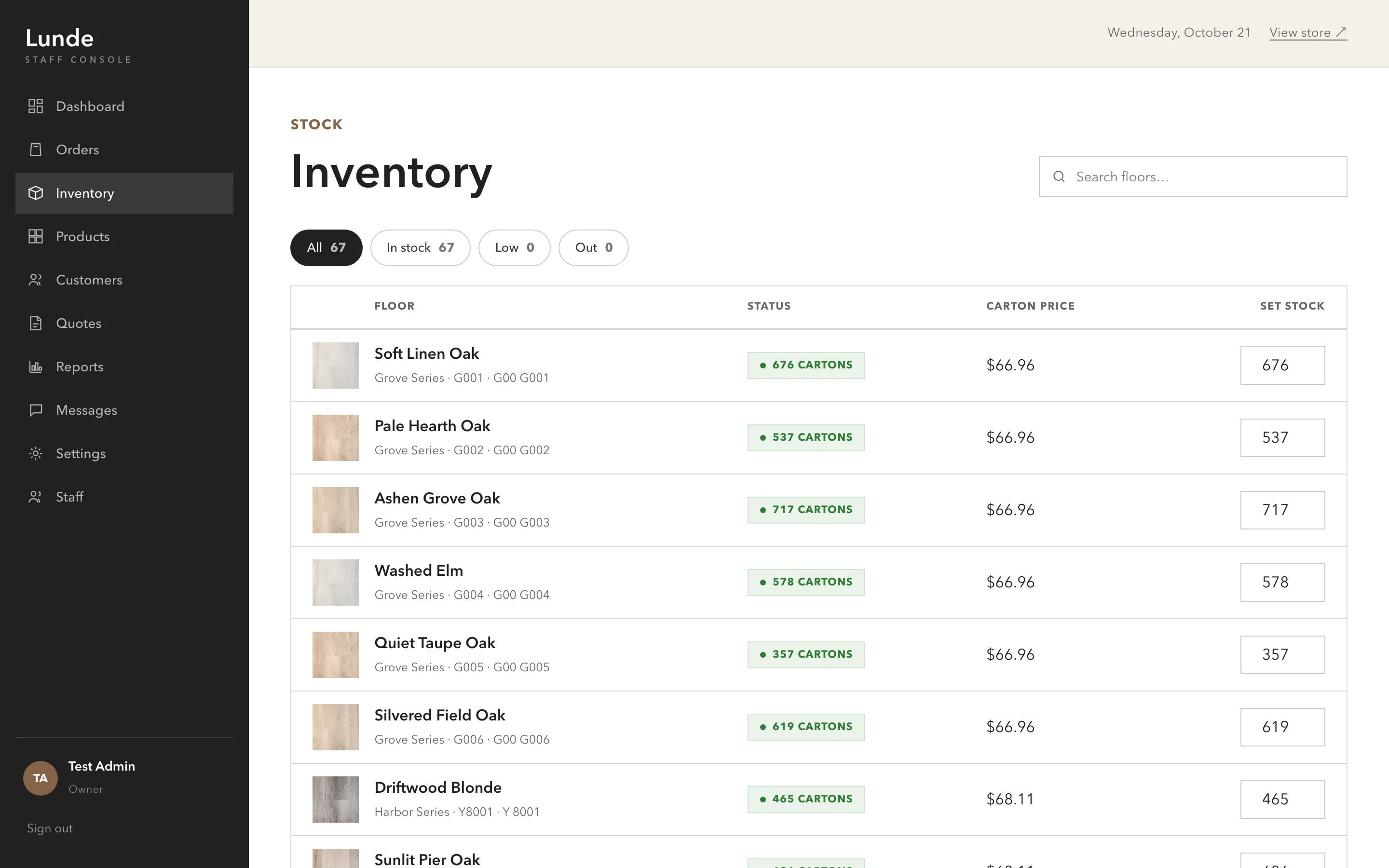
Staff sign in to a separate console for orders, inventory, products, customers, quotes, reports, messages, and settings. Product edits show a live preview of the store card, and stock is set by the carton, the unit the shop actually counts.
Stock, by the carton.
Edit, then preview.
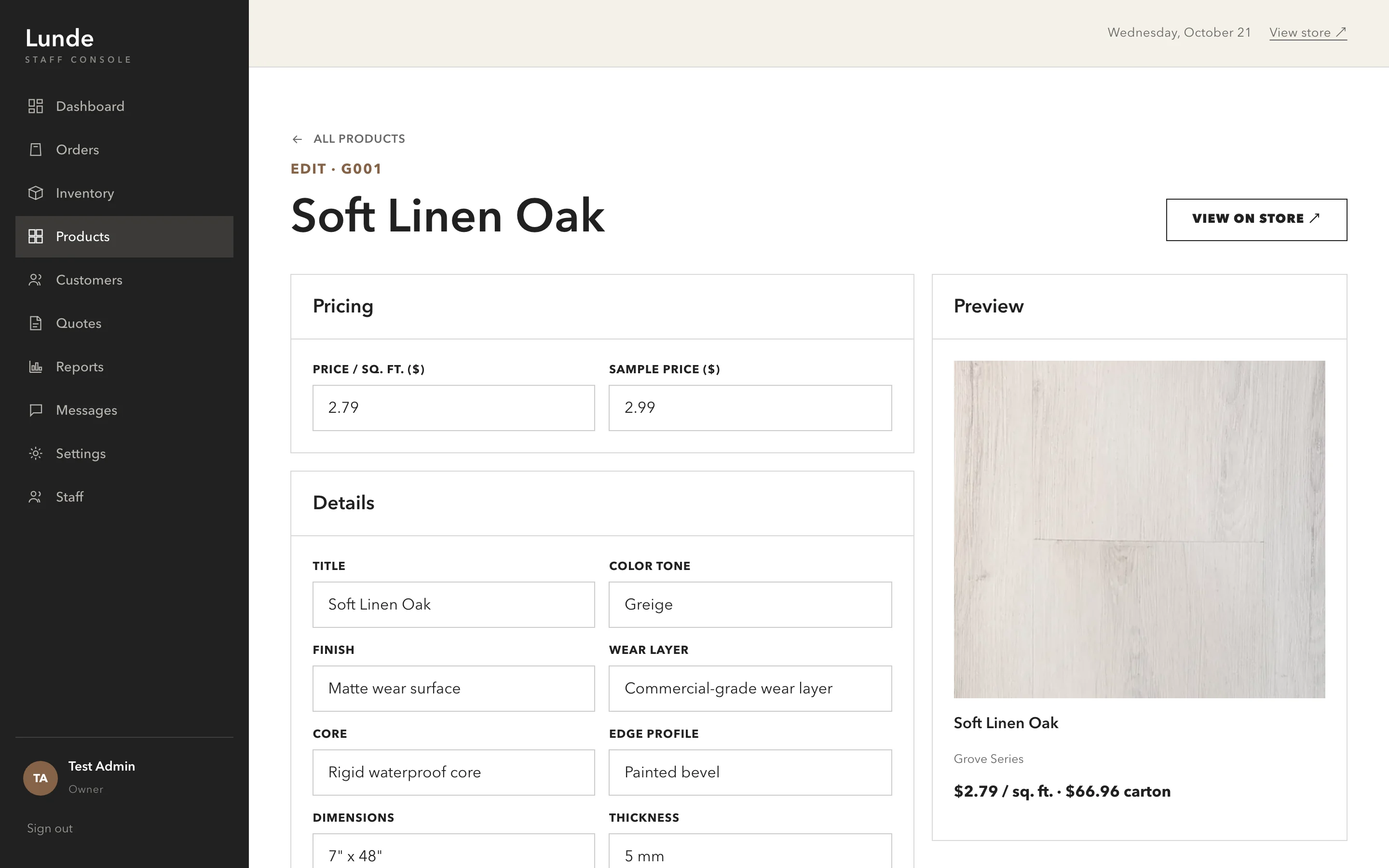
About these screens Captured from a local copy of the source with demo inventory and a test admin account. No customer or order data was used, and demo prices differ from the live store.
What we made
A store,
front to back.
Storefront and product pages
Catalog filters, product pages with full specifications and stock status, and the carton calculator.
Cart, checkout, and accounts
A cart that keeps the carton math, Stripe checkout, and customer accounts with order history and password reset.
Sample requests
A request flow for up to four free swatches, offered on every product page and on its own page.
Staff console
Orders, inventory, products, customers, quotes, reports, messages, settings, and staff users, behind a server-checked sign-in.
Do the math
before they ask.

Project lead
Brendan Collins
Brendan led the store's UX/UI design and front-end build, from the catalog and product pages to the calculator, checkout, and staff console.
His focus was removing doubt for both sides: carton math on the page for shoppers, and a console that counts stock the way the shop does.
Meet the studioYour next chapter
Could your store sell, not just take calls?
If customers call to ask how much they need, we can put that answer on the product page, and give your team the tools behind it.
Start a project
More Collins Creative work