S.C. Anderson, Inc. Commercial construction website
Ordered the wayowners pick a builder.Ordered the wayowners picka builder.
Collins Creative designed and built a one-page website for S.C. Anderson, a Bakersfield commercial builder. The navigation follows the questions an owner asks when shortlisting a contractor, and every section ends in the same three-step project inquiry.
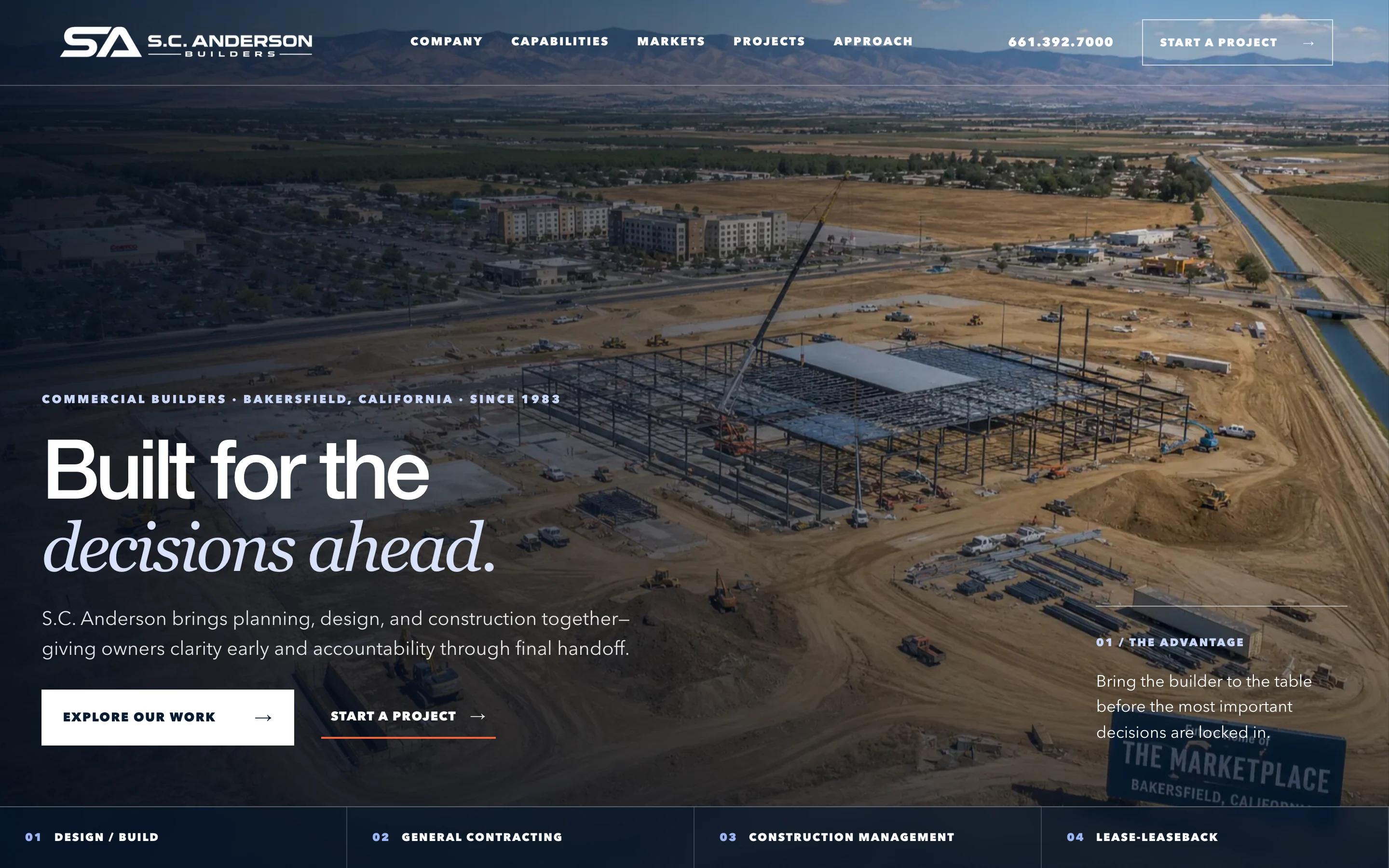
The website, interactive
Open the menus.
Start an inquiry.
Scroll the page, open the navigation panels, and step through the three-part project inquiry on desktop or on a phone.
This copy never addresses or sends the inquiry, and calls and email are switched off.
The structure
Five questions,
in the order owners ask them.
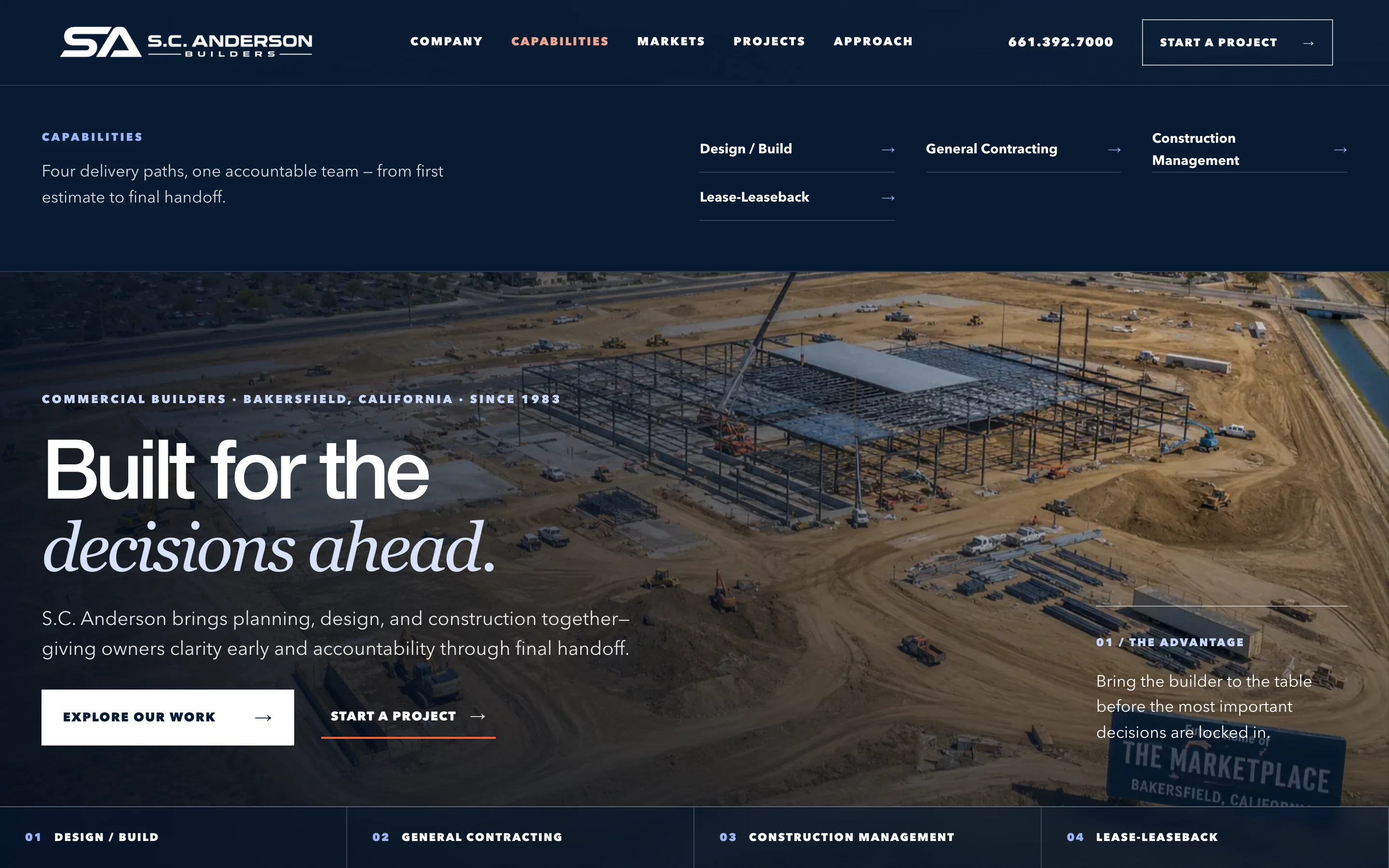
An owner or school district vetting a contractor wants to know who the company is, how it delivers, where it has built, what it has built, and how it runs a job. We made those five answers the navigation and the page order.
Static proof from the website build
What is switched off The design ends in an inquiry addressed to a real company, and it is not the company's live site, so the interactive copy above stops at the summary and never prepares or sends the email.
The challenge
A long record that needs to scan fast.
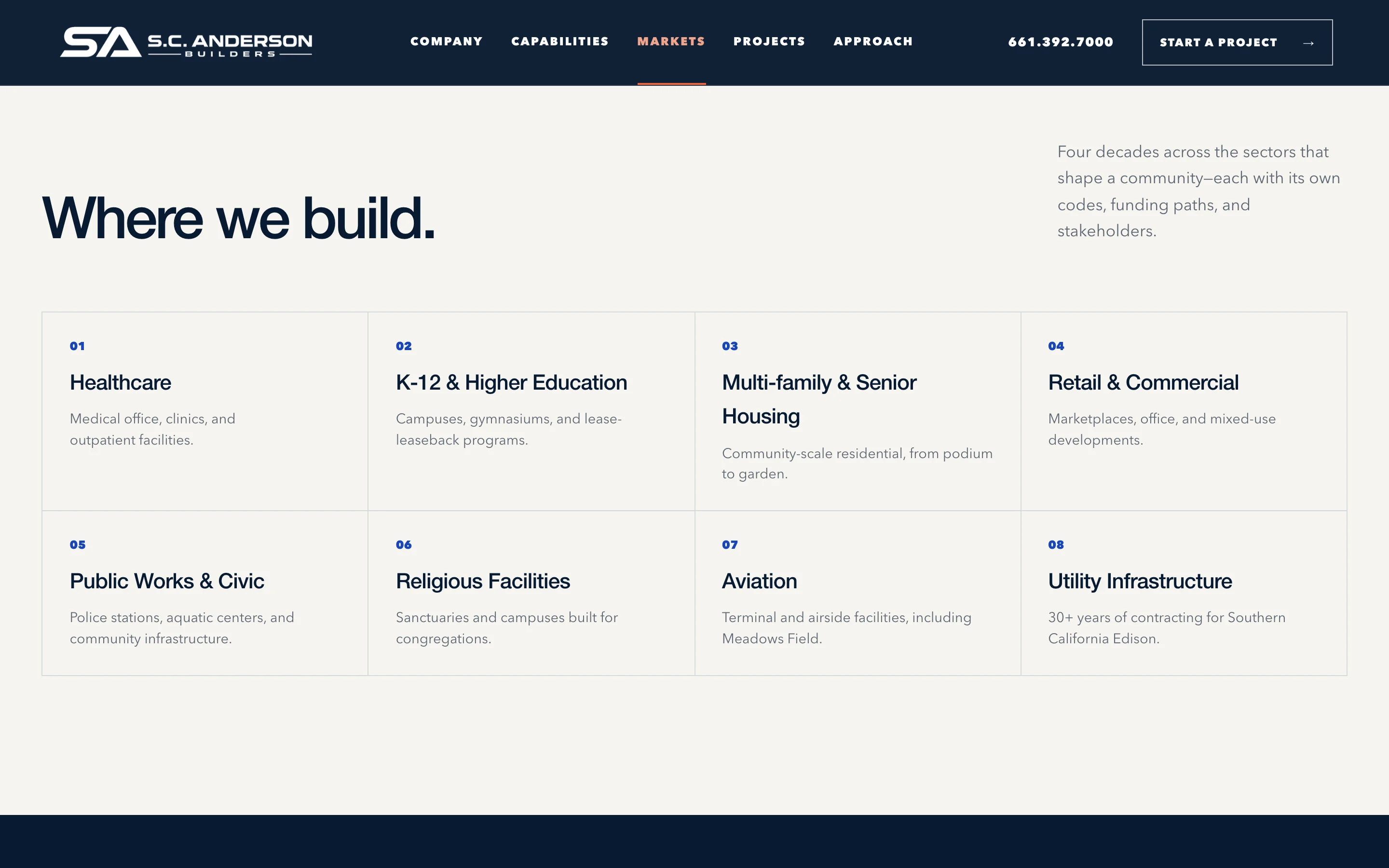
A commercial builder's site has to carry a lot: delivery methods, eight sectors, featured projects, credentials, and how the team works. Owners skim it while comparing several firms.
We kept everything on one page, gave each sector a short line instead of its own page, and put the company's founding year, bonding capacity, and state licenses in one band near the top.
The project inquiry
Three short steps
instead of a long form.
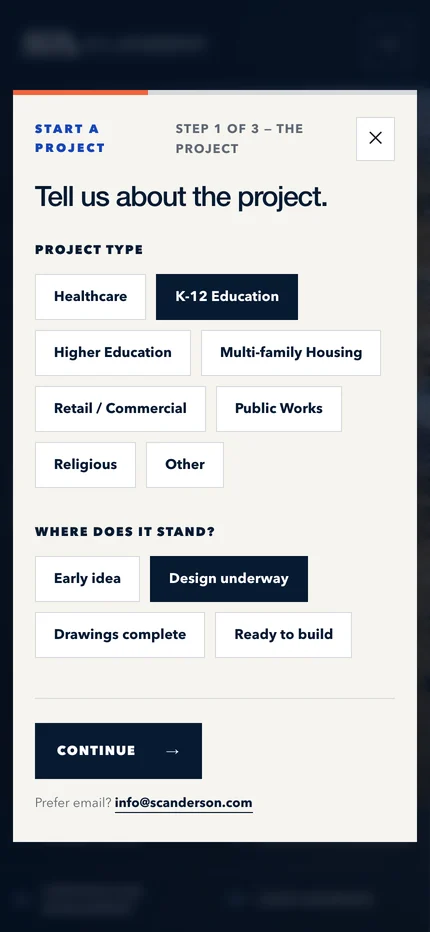
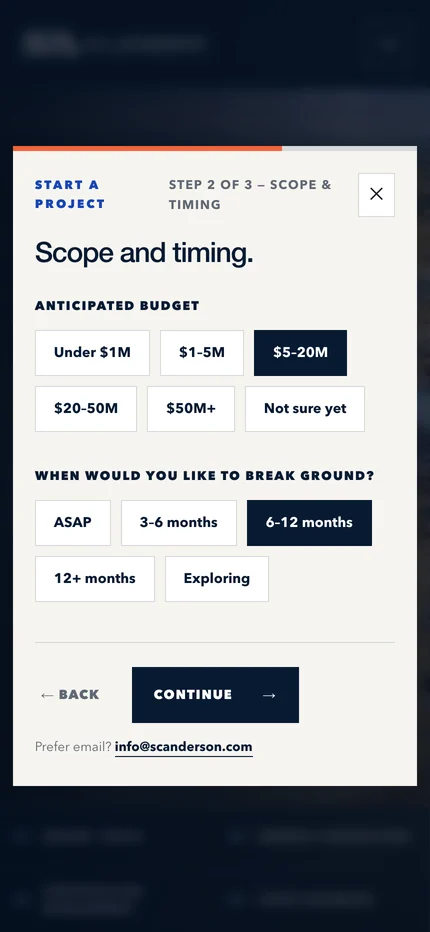
Every Start a project button opens the same overlay. Each step asks one kind of question with tap-sized choices, and Continue stays off until the required answers are in.
- The projectProject type and where it stands, from early idea to ready to build
- Scope and timingBudget range and when the owner wants to break ground
- ContactName, organization, email, phone, and what matters most
The same steps, one thumb wide.
What it sends Nothing goes to a server. The last step shows a summary and prepares an email to the company's inbox.
Delivery methods
Four ways in,
one next step.
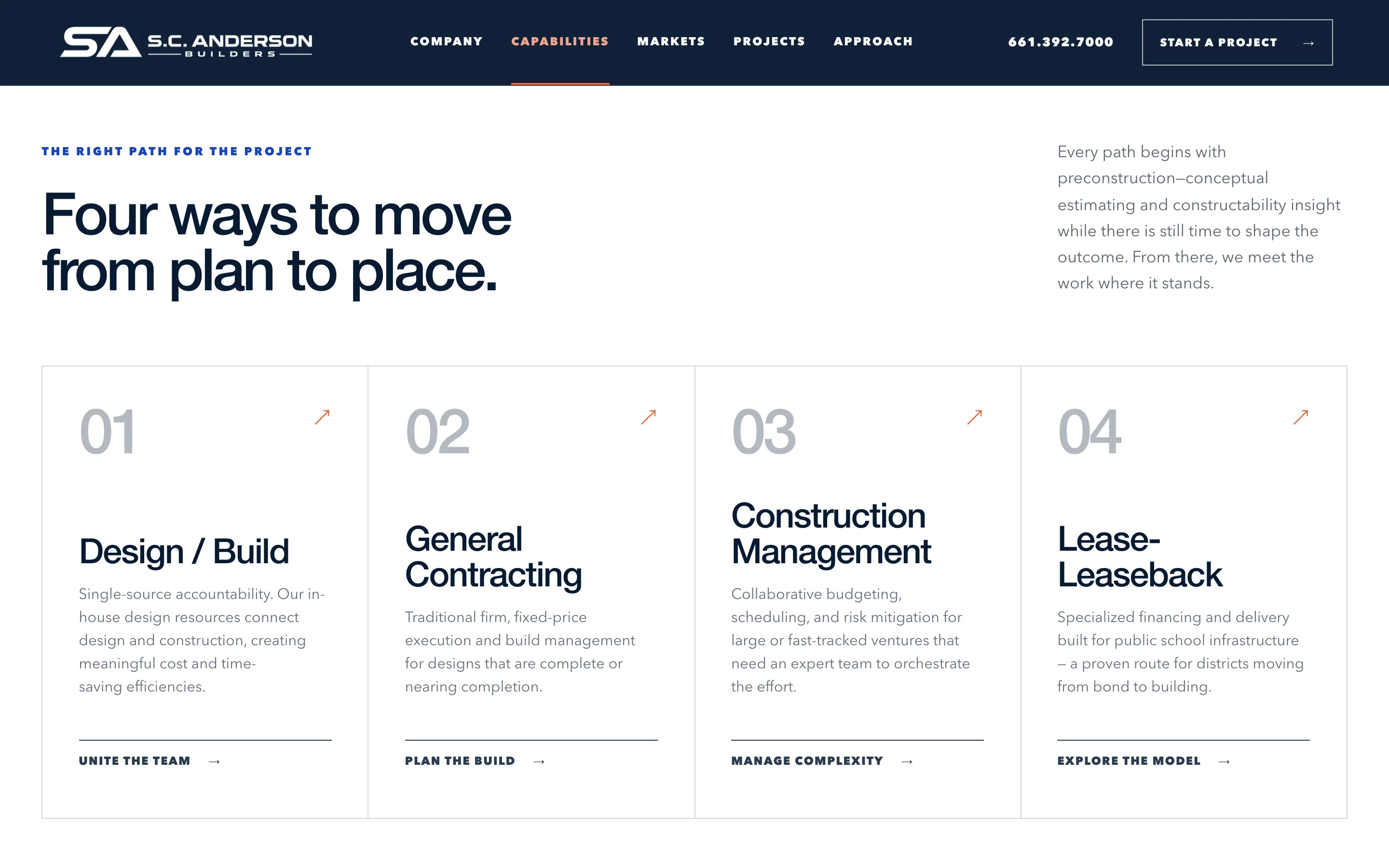
Owners arrive at different moments: some with an idea, some with finished drawings. We gave each delivery method a numbered card with a plain description and a link that opens the inquiry.

On a phone
Big type,
short menu.
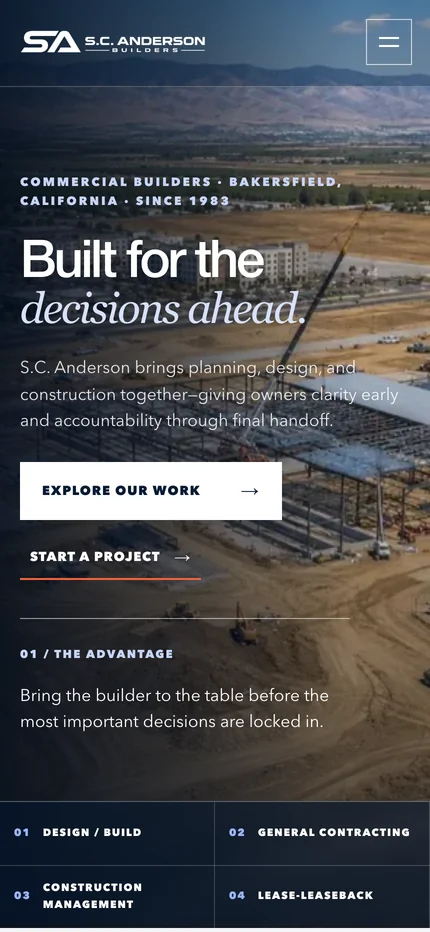
The phone layout keeps the headline and both actions above the fold, and stacks the four delivery methods into a two-by-two bar under the photo.
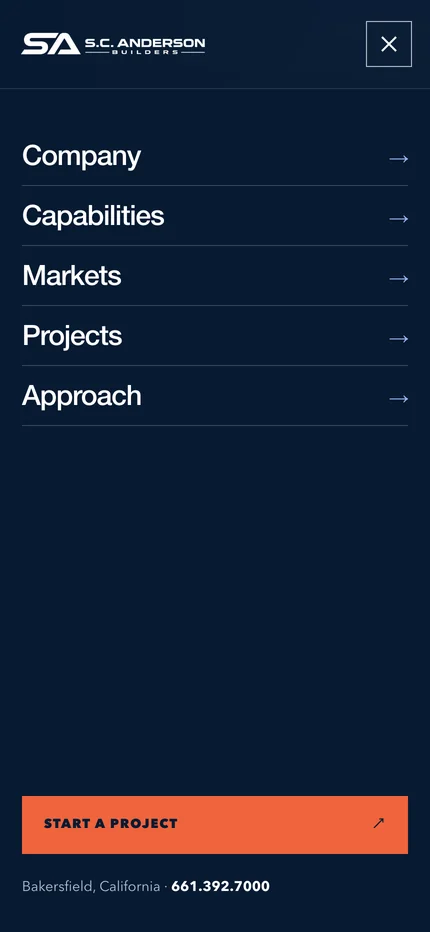
The menu opens to the five sections at full width, with Start a project and the office phone number at the bottom.
What we made
One page,
built to be skimmed.
Information architecture
Five sections in the order an owner qualifies a builder, mirrored in the header and the mobile menu.
Capabilities and markets
Four delivery-method cards and an eight-sector index, each in a single scannable line.
Project inquiry
A three-step overlay with tap-sized choices, a summary, and a prepared email.
Responsive front end
A hand-built HTML, CSS, and JavaScript page with a separate phone layout and menu.
The owner’s questions,
in the owner’s order.

Project lead
Brendan Collins
Brendan led the UX/UI design, content structure, and front-end build for the S.C. Anderson website.
The judgment that mattered was order. A shortlist decision depends on a few facts, so the page puts them where an owner looks first and keeps one way to start a conversation.
Meet the studioYour next chapter
Is your experience
hard to find online?
If your website buries the work that wins jobs, we can organize it around how your customers decide.
Start a projectMore Collins Creative work