Bakersfield City Working website prototype
Start with the task.Then show the department.Start withthe task. Thenshow thedepartment.
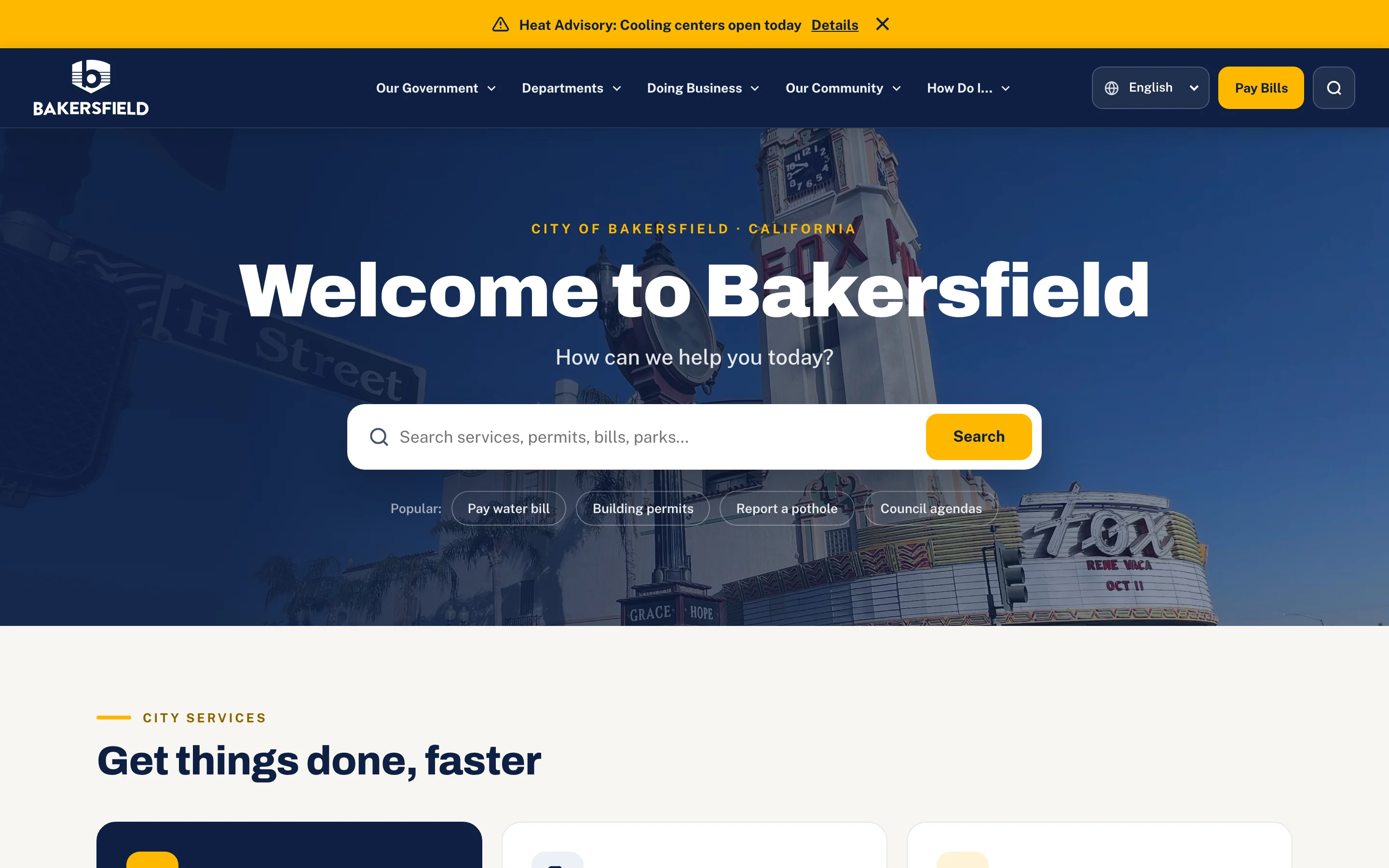
Collins Creative designed and built a working prototype that reorganizes Bakersfield's city website around what residents come to do: pay a bill, apply for a permit, report a problem, or find the next public meeting.
The prototype, interactive
Built for City Hall scale.
Type into the search field to see suggested services, open the navigation, page through the news, and filter the calendar on desktop or on a phone.
The alert, news, and events are prototype content, not live City information. Search suggestions work; submitting a search is turned off in this preview.
The challenge
Cities organize like government. Residents don't.
A city website serves everyone at once: a homeowner paying a utility bill, a contractor checking a permit, a parent looking for a splash park, a resident trying to follow the next council meeting.
Department-first navigation makes those everyday tasks harder than they should be. The prototype starts with the task in plain language and keeps the full government structure one level down.
The organizing idea
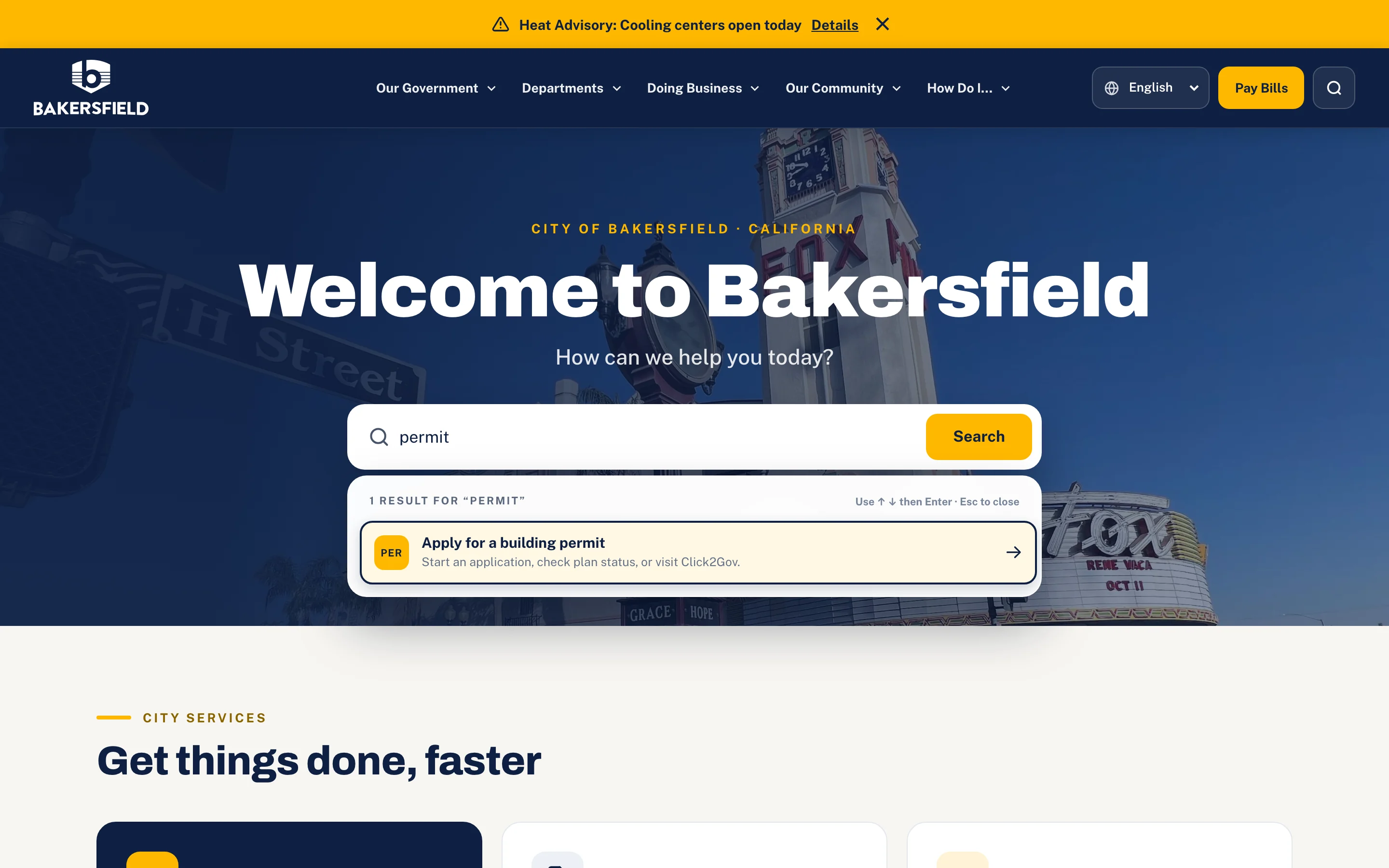
Tasks up front.
Departments within reach.
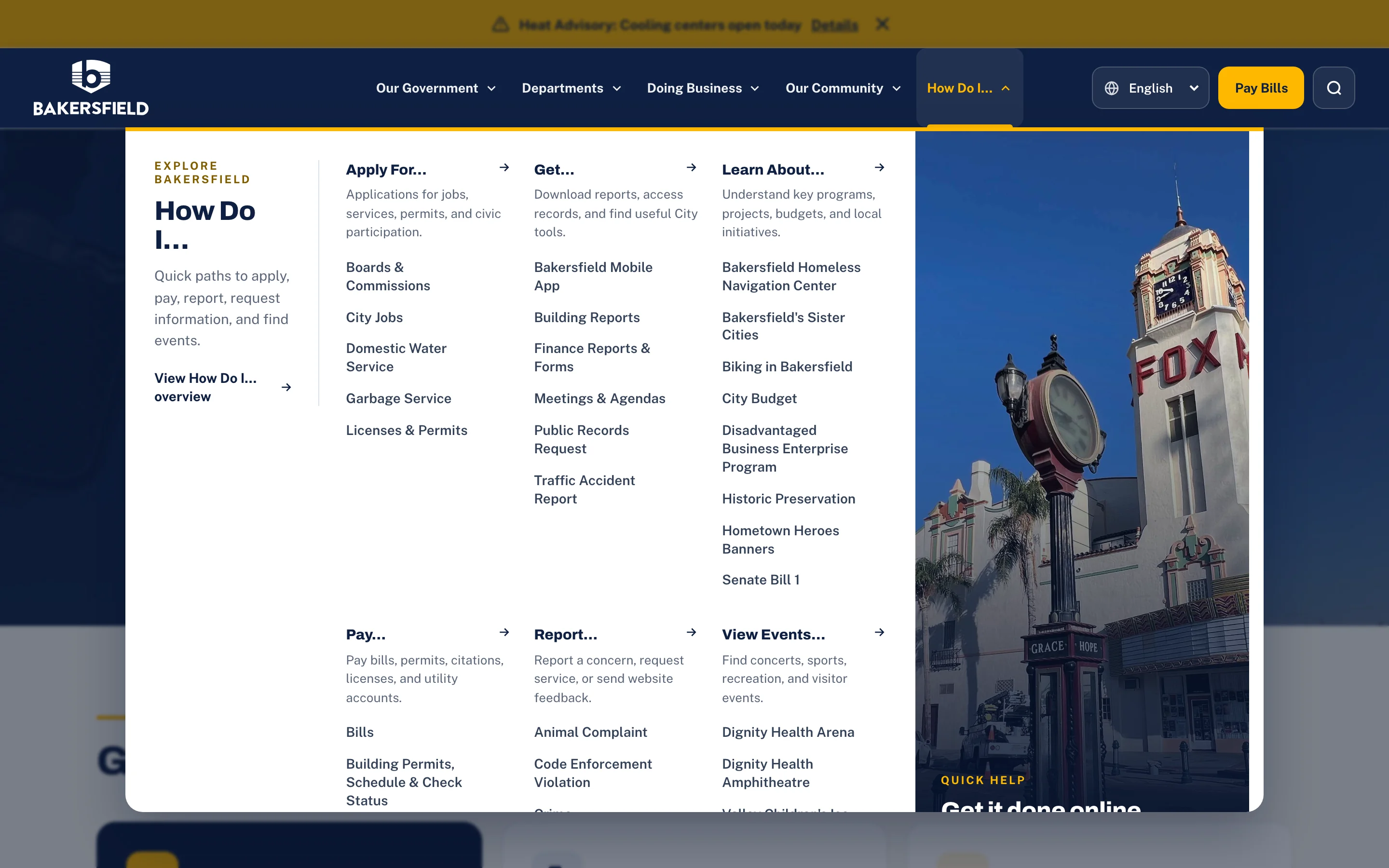
Below the search, six service groups cover the most common reasons people visit: Pay & Renew, Permits & Planning, Report an Issue, City Government, Parks & Recreation, and Doing Business. The deep structure lives in a mega menu written as verbs.
The content system
Useful today,
not just findable.
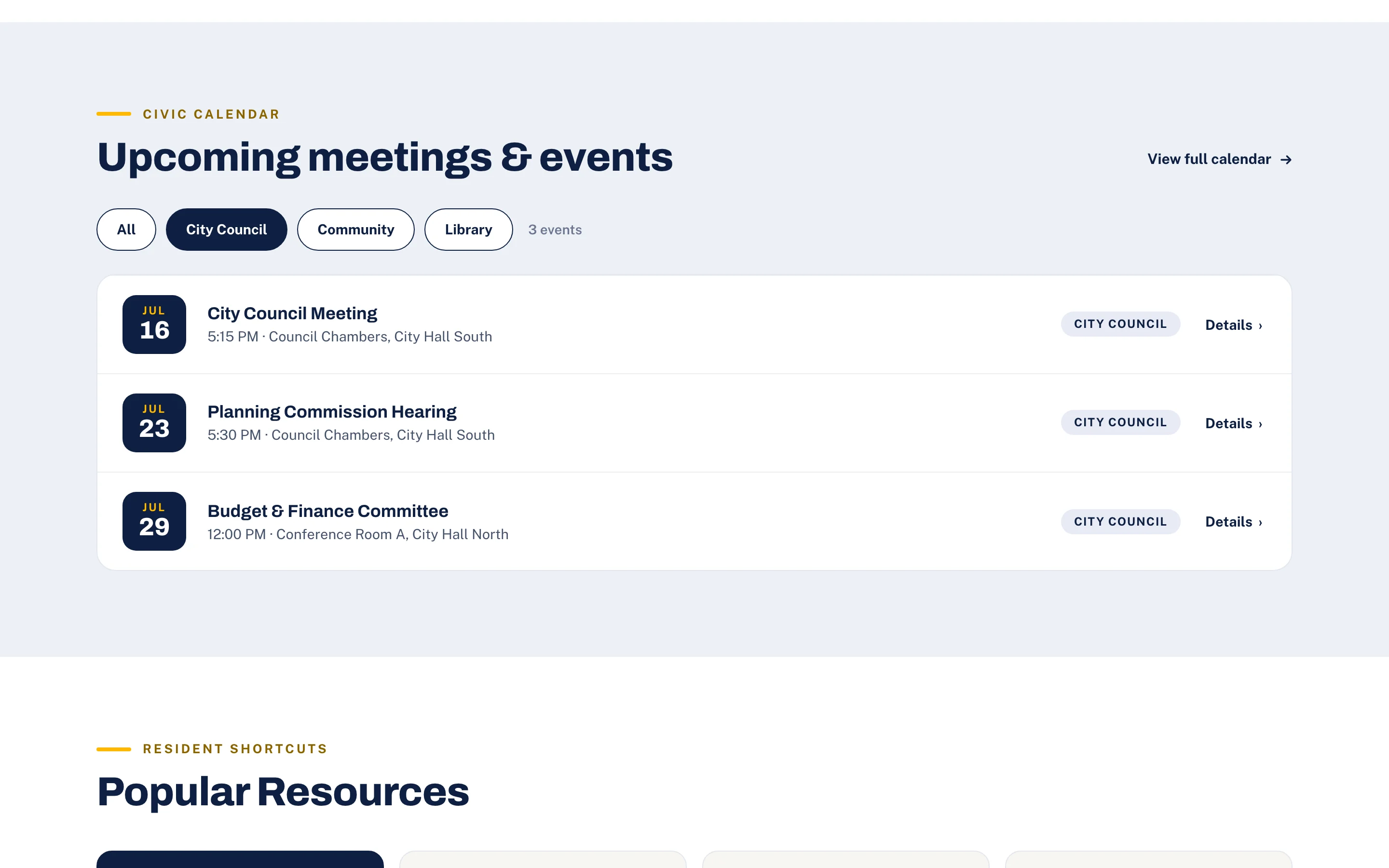
News, public works updates, planning work, council meetings, and community events share one card and list system, so dense public information stays easy to scan. A dismissible alert bar sits above everything for urgent citywide notices.
Filter to what matters.
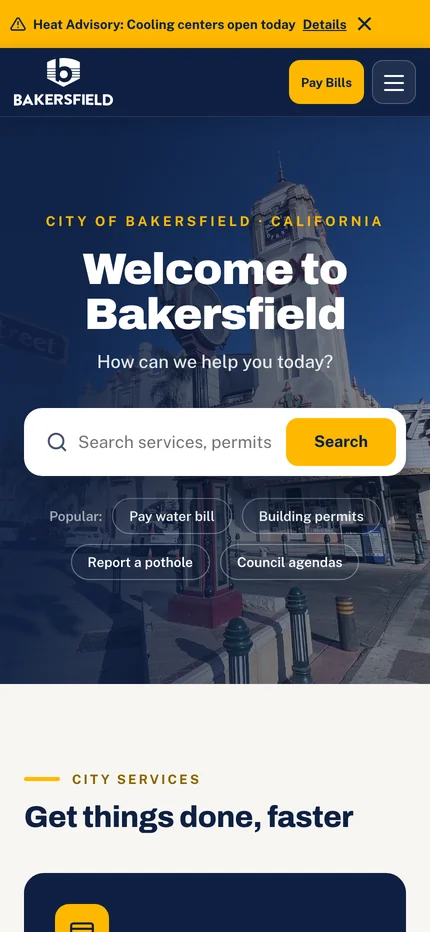
The same front door.
What we made
A complete civic
front door.
Resident-first information architecture
Six service groups on the homepage and a How Do I… menu organized by action, with the full department structure behind them.
Search with suggestions
A plain-language search field with suggested services, result categories, and keyboard support.
Navigation for every screen
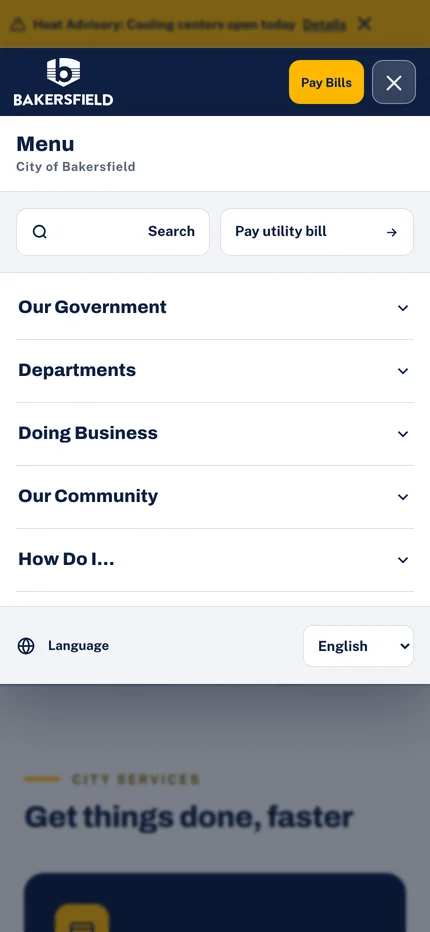
Multi-level desktop menus, a full-screen mobile menu with expandable groups, and a language selector.
News, calendar, and alerts
Paged news cards, a filterable meetings and events list, popular resources, and a dismissible alert bar.
Nobody should need to understand City Hall to get something done.

Project lead
Brendan Collins
Brendan led the information architecture, UX/UI design, search design, and front-end build of the prototype.
The focus was resident empathy: keep the depth a city website requires while making the first click feel obvious, in the City's own navy and gold.
Meet the studioYour next chapter
Make a big organization feel simple.
If your website mirrors your org chart, we can rebuild it around what people come to do.
Start a project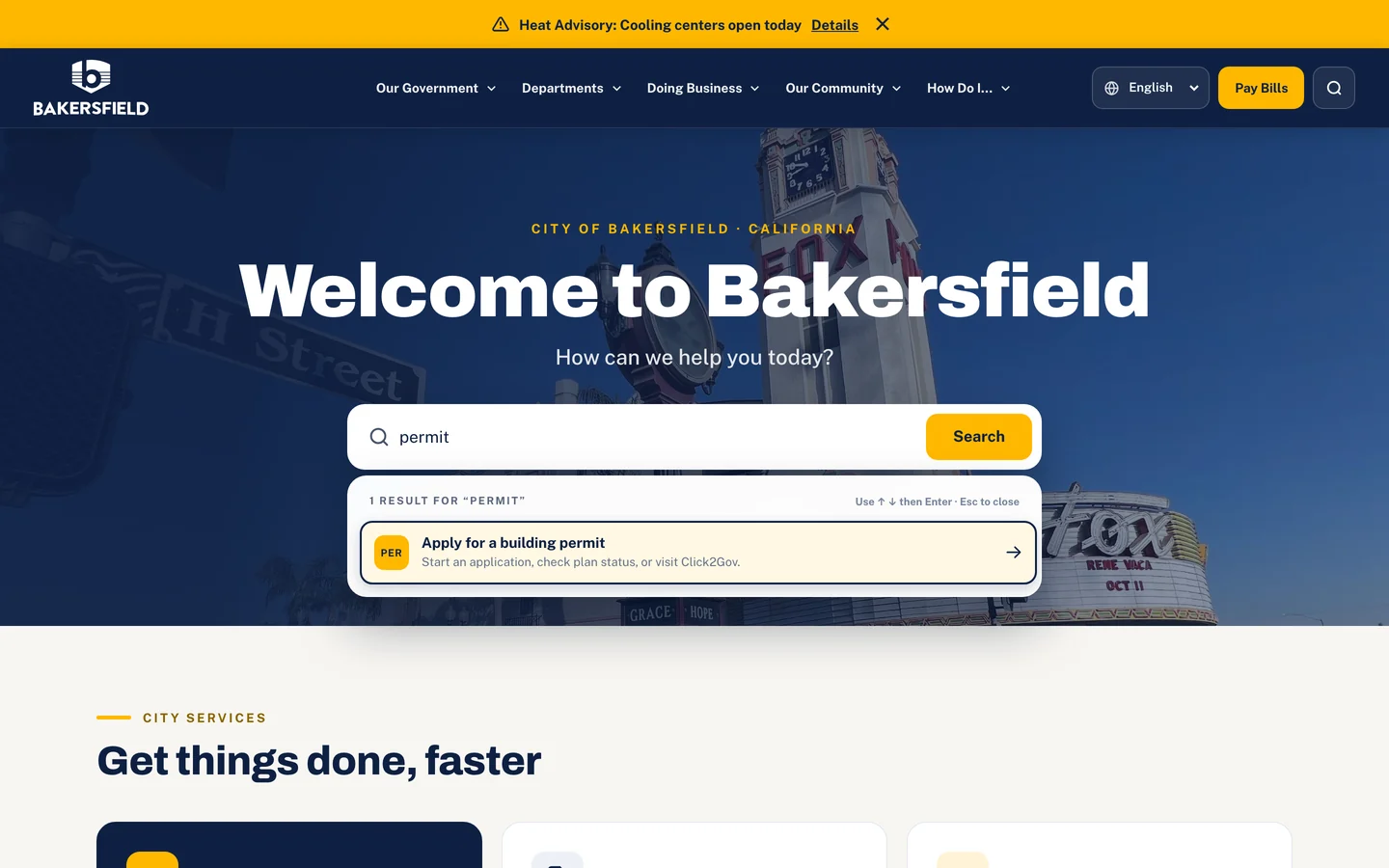
More Collins Creative work