Fence & Gate Builder Custom software · configurator + estimating
Design a steel gate.Get the whole order, instantly.Design a steel gate.Get the wholeorder, instantly.
We built Fence & Gate Builder, a configurator for custom metal gates and fence. Enter the opening, watch the gate draw itself to exact dimensions, and get a complete steel takeoff: every part, every cut, the total weight, the leftover, and the cost. No more pricing a job by hand.
The app, interactive
Type an opening.
Watch the gate draw.
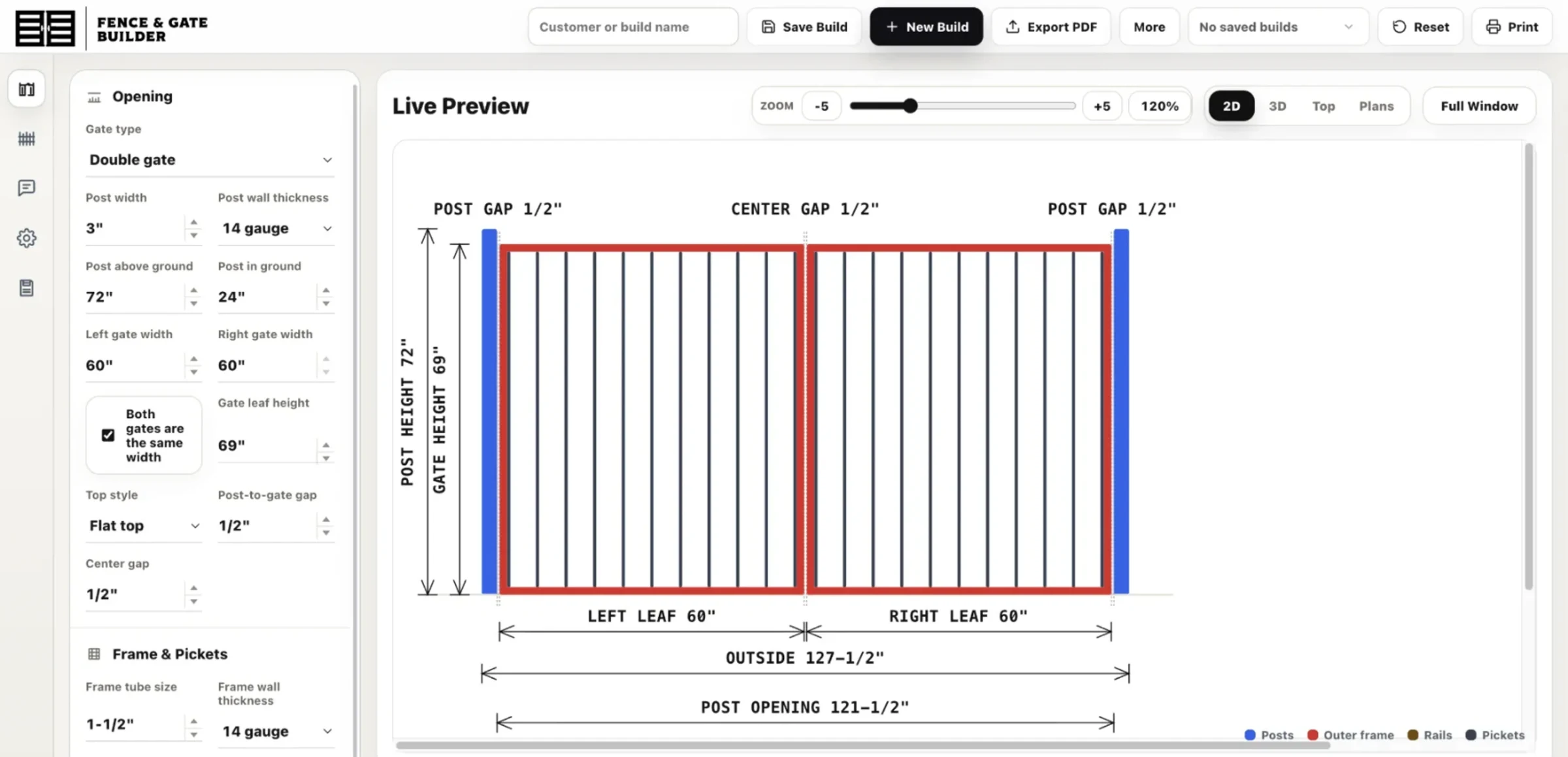
Change the opening, the gate type, and the picket spacing, then switch between the drawing, materials, and cut list on desktop or on a phone. This copy runs in local-only mode: there are no accounts or cloud saving, and a build you save stays in your own browser.
The challenge
Every gate is one-off, and every quote was done by hand.
Custom gates are never the same twice. Change the opening by a few inches and the post height, the frame tubing, the picket count and spacing, the steel weight, and the cost all move with it. Pricing a job meant sketching it out, working the math on paper, and hoping the cut list matched what actually went on the truck.
Fence & Gate Builder wanted to put that whole calculation into a tool a fabricator could trust: one that draws the gate, lists every part, and prices the steel the instant the dimensions change.
The signature build
Set the opening.
Watch the gate draw itself.
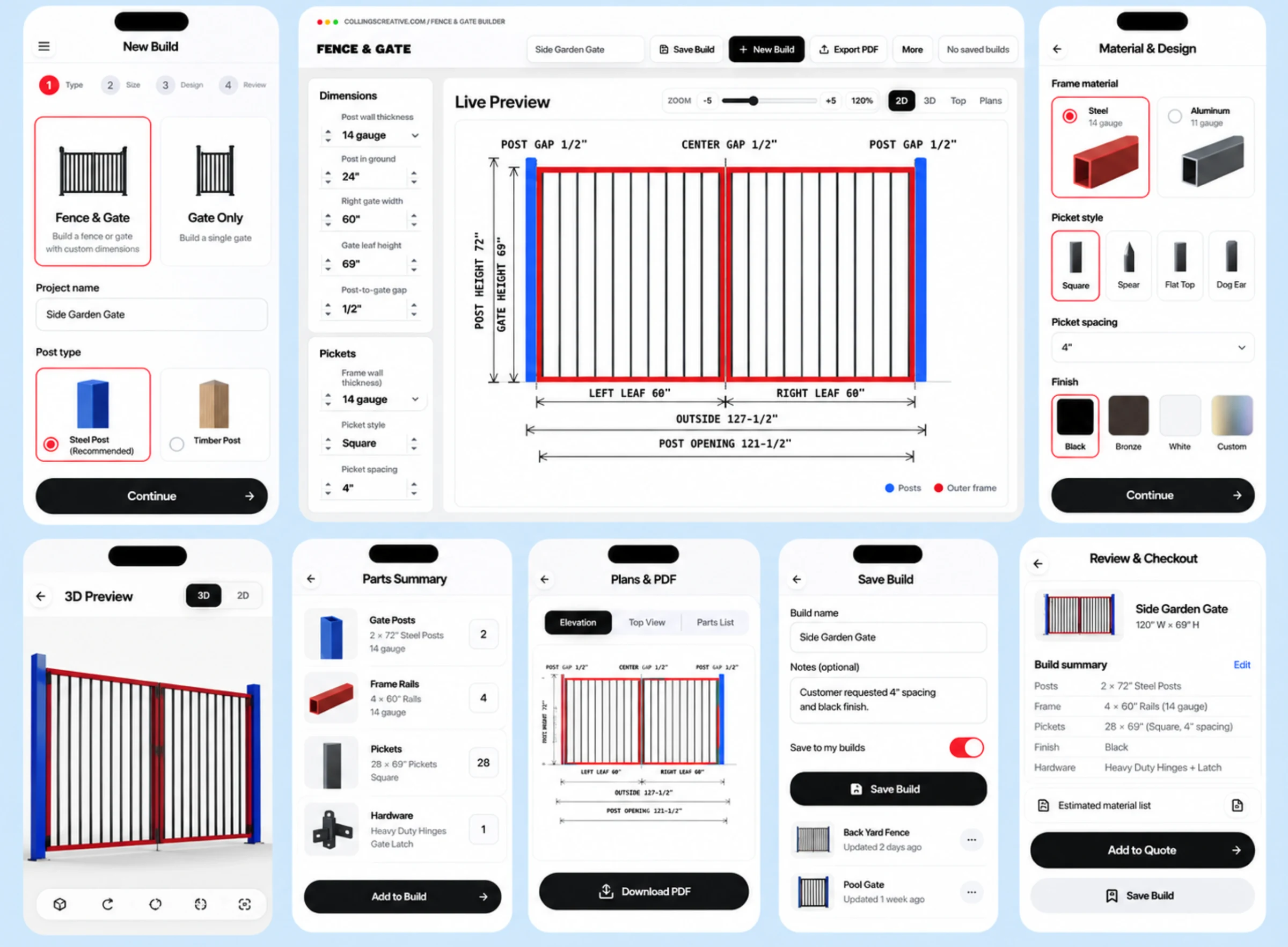
Pick single or double, type in the opening and post heights, choose a top style and frame tubing, dial in picket width and spacing, and the gate redraws live, fully dimensioned. Post gaps, center gap, leaf widths, outside width, post opening: every number the fabricator needs to cut to is right there on the drawing, updating as they type. The same build can be viewed four ways, 2D, 3D, top, and plan, and exported to PDF for the shop floor or the customer.
The complete takeoff
Every part to order,
weighed and priced.
The Materials tab turns the drawing into an order. Each part, posts, frame verticals and horizontals, pickets, lists its tube size, wall gauge, cut length, quantity, and shop notes. Below it: the finished gate weight, the steel weight to actually buy in full sticks, and an estimated metal cost at the current per-hundredweight rate. It even tracks the leftover, so there's no guessing at the supply house.
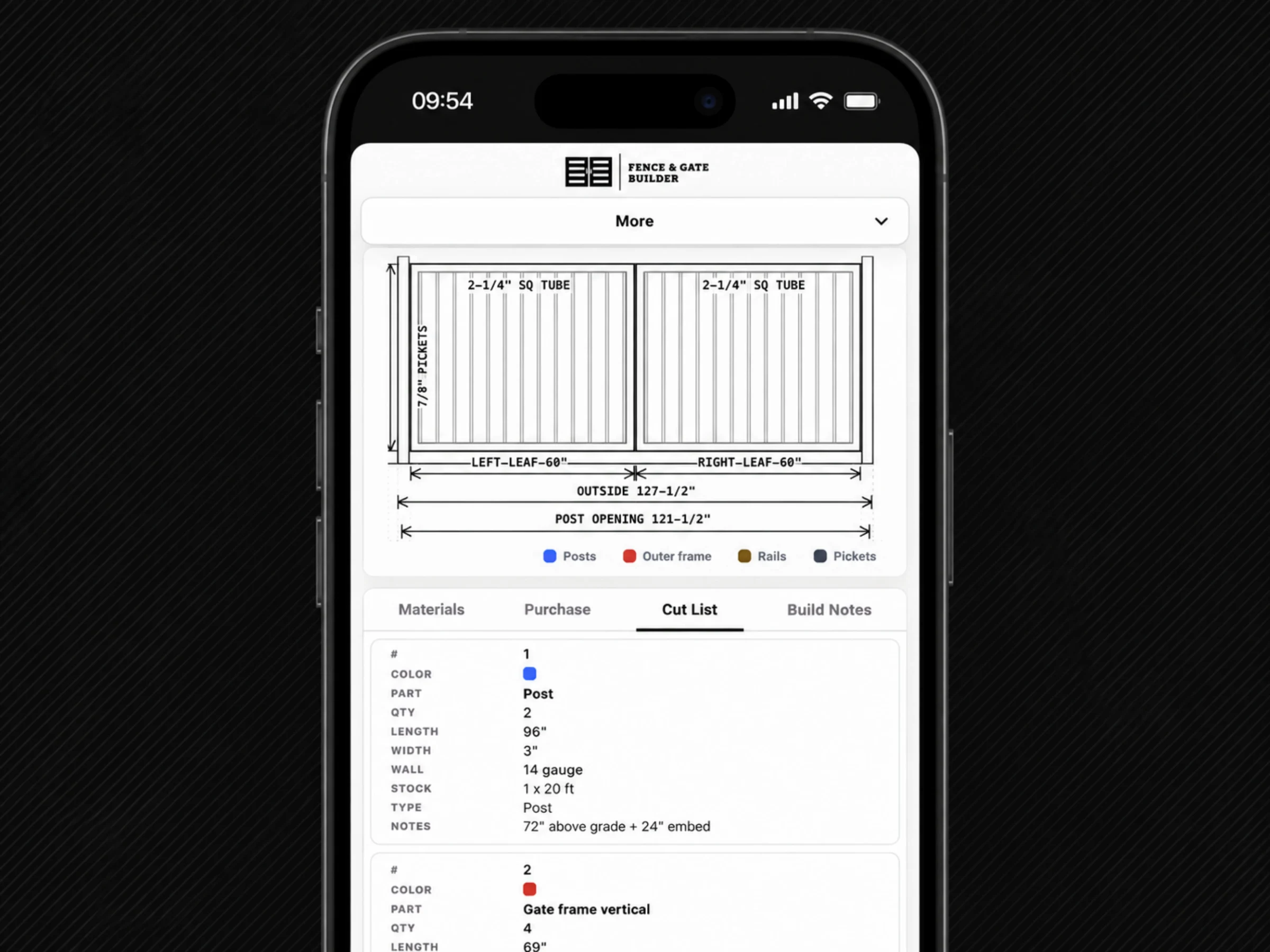
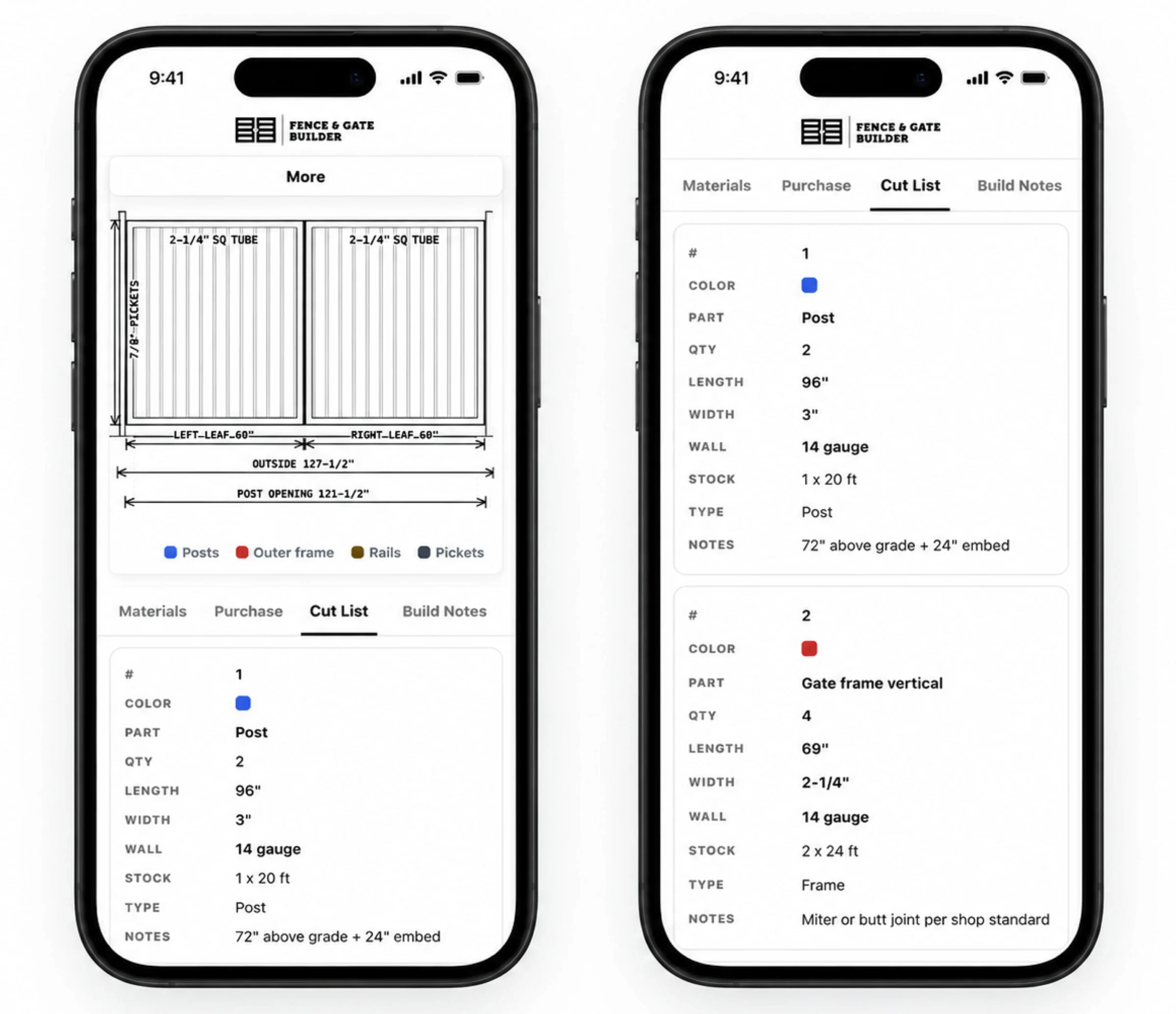
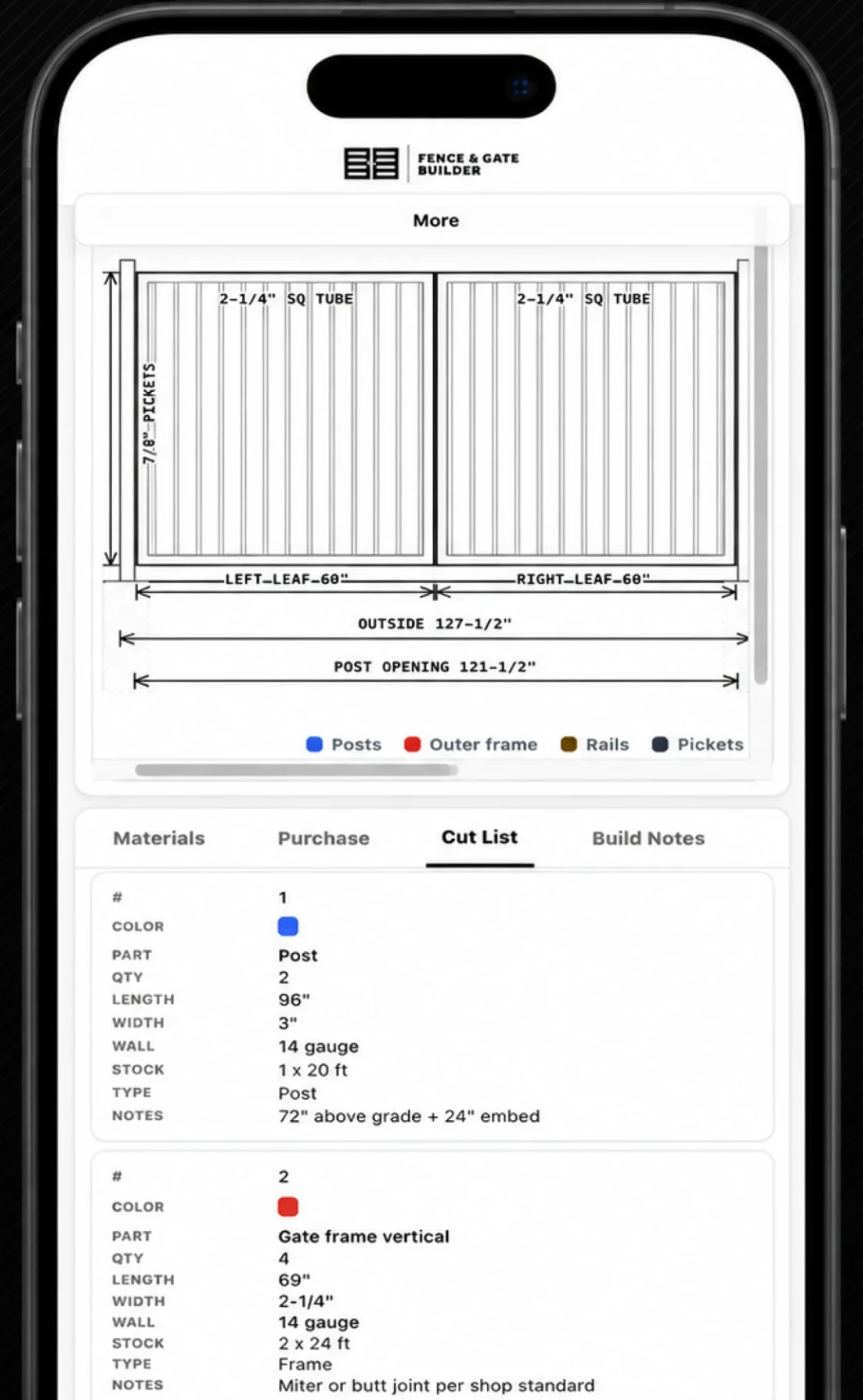
A cut list the shop can build from.
The whole gate, in your hand.
- Live. Drawing, cut list, weights and cost, updated as you design.
- 4-view. 2D, 3D, top and plan, plus one-tap PDF export.
- $/CWT. Steel priced by the hundredweight, the way shops buy it.
The whole workspace
One screen,
design to order.
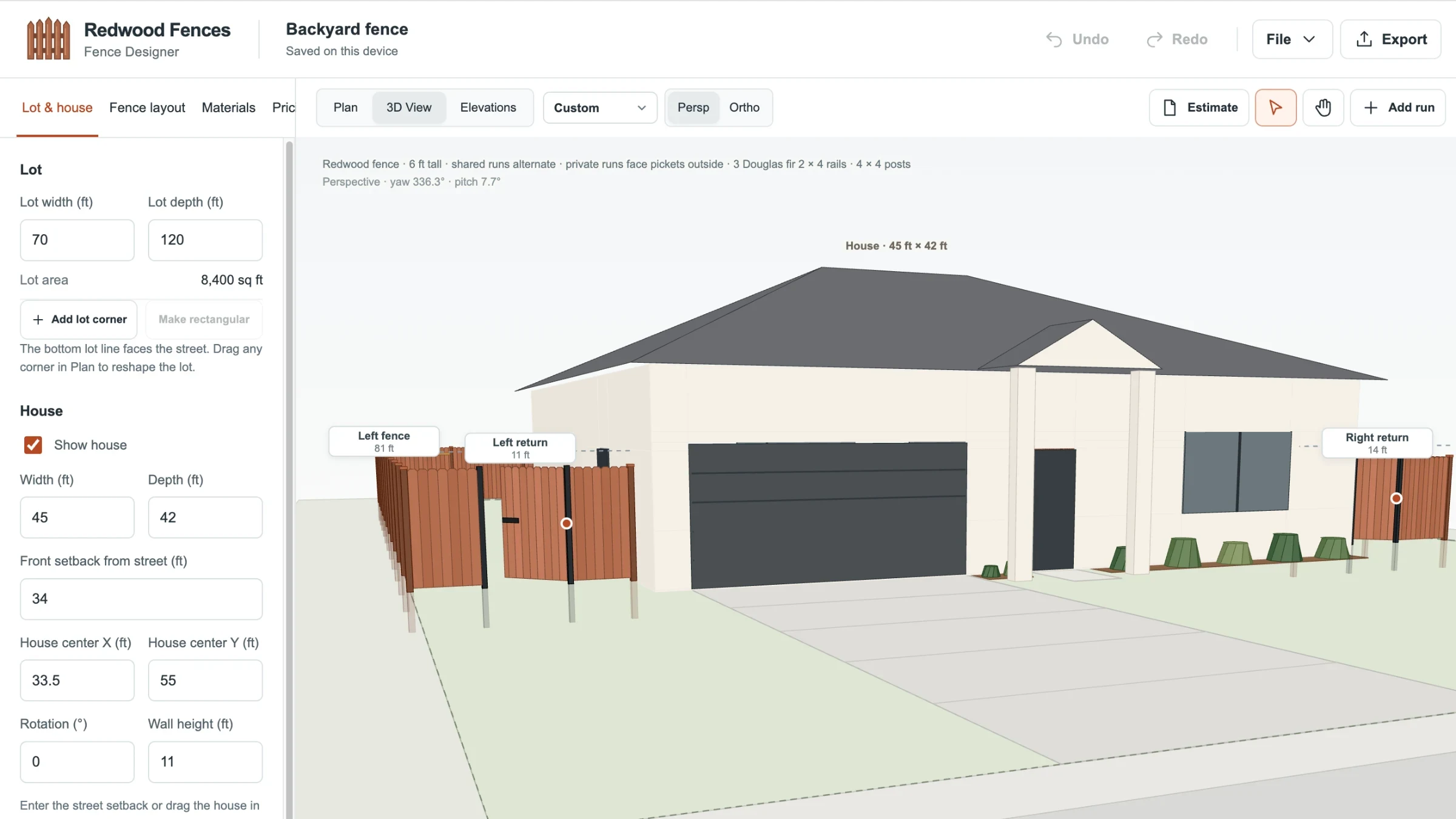
Everything lives on a single working screen: the spec panel on the left, the live drawing up top, the takeoff below. Name the build, save it, start a new one, or export the whole thing to PDF, all from the toolbar. It works the same on a laptop at the desk or a tablet out in the shop. The same engine now drives Fence Designer, which lays a full redwood fence around a lot and house in 3D and prices the run.
What we made
From an opening
to an order.
Configurator design
Defined the inputs a real gate needs, from opening and height to style and hardware, and the order they are asked in, so a builder can price a job without a phone call.
Drawing engine
The gate redraws itself to exact dimensions as the numbers change, so what appears on screen is the gate that gets built.
Takeoff and pricing
Every part the design implies is counted, weighed, and priced into a complete steel takeoff rather than an estimate.
Cut list in the yard
The same job on a phone: the cut list, part detail, and dimensions a fabricator needs standing at the steel rack.
Interface system
One set of controls, states, and typography across the designer, the takeoff, and the mobile views.
Real weights, honest waste, and a cut list a shop can build from.
Design & front-end

Brendan leads UI/UX, branding, and front-end execution, making software simple, clear, polished, and easy for real people to use.
Meet the studio →What are you working toward?
Tell us what the brand needs to do, who it is for, and when you need it. You will get a straight answer on scope, timing, and cost.
Start a projectMore Collins Creative work