Hog Panel Builder Configurator prototype
Draw the fence.Count the parts.Draw thefence. Countthe parts.
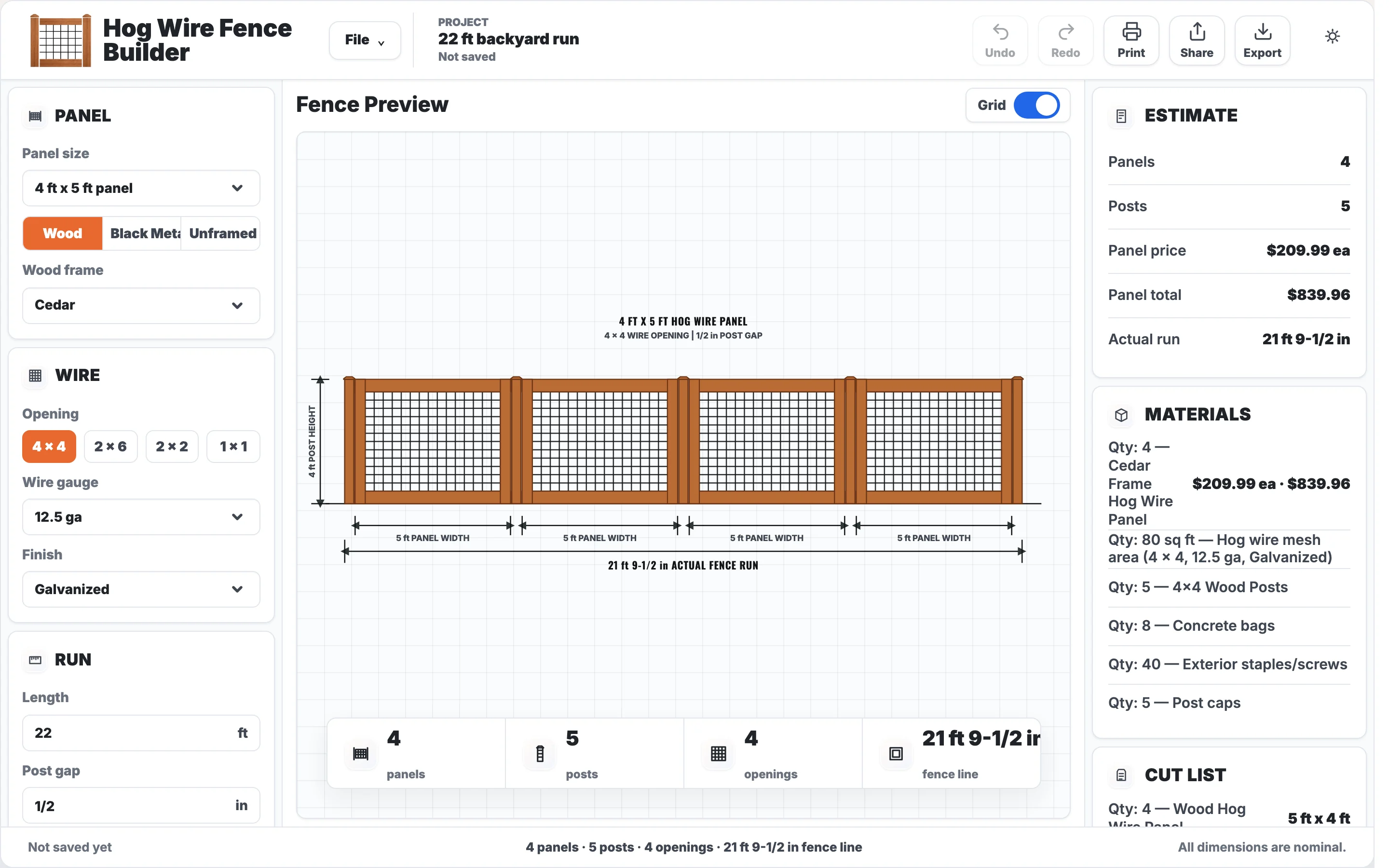
Collins Creative designed and built a hog-wire fence configurator. Pick a panel, wire, run length, and posts, and a dimensioned drawing, a panel estimate, a materials list, and a cut list update with every change.
The builder, interactive
Change a setting.
Watch the run redraw.
Switch the frame, wire opening, or panel size, or type a new run length. The drawing, panel count, posts, and materials recalculate together.
Projects you save here stay in your browser. Generate PDF opens the print dialog; nothing is sent anywhere.
The challenge
Every run is a different count.
A hog-wire fence is panels between posts, but no two yards are the same length. The run decides how many panels fit, whether the last one has to be cut down, and how many posts, bags of concrete, caps, and fasteners the job needs.
Working that out by hand is slow and easy to get wrong. The builder had to do the count and show it, so anyone can see why the numbers are what they are.
The drawing
The plan is the proof
of the count.
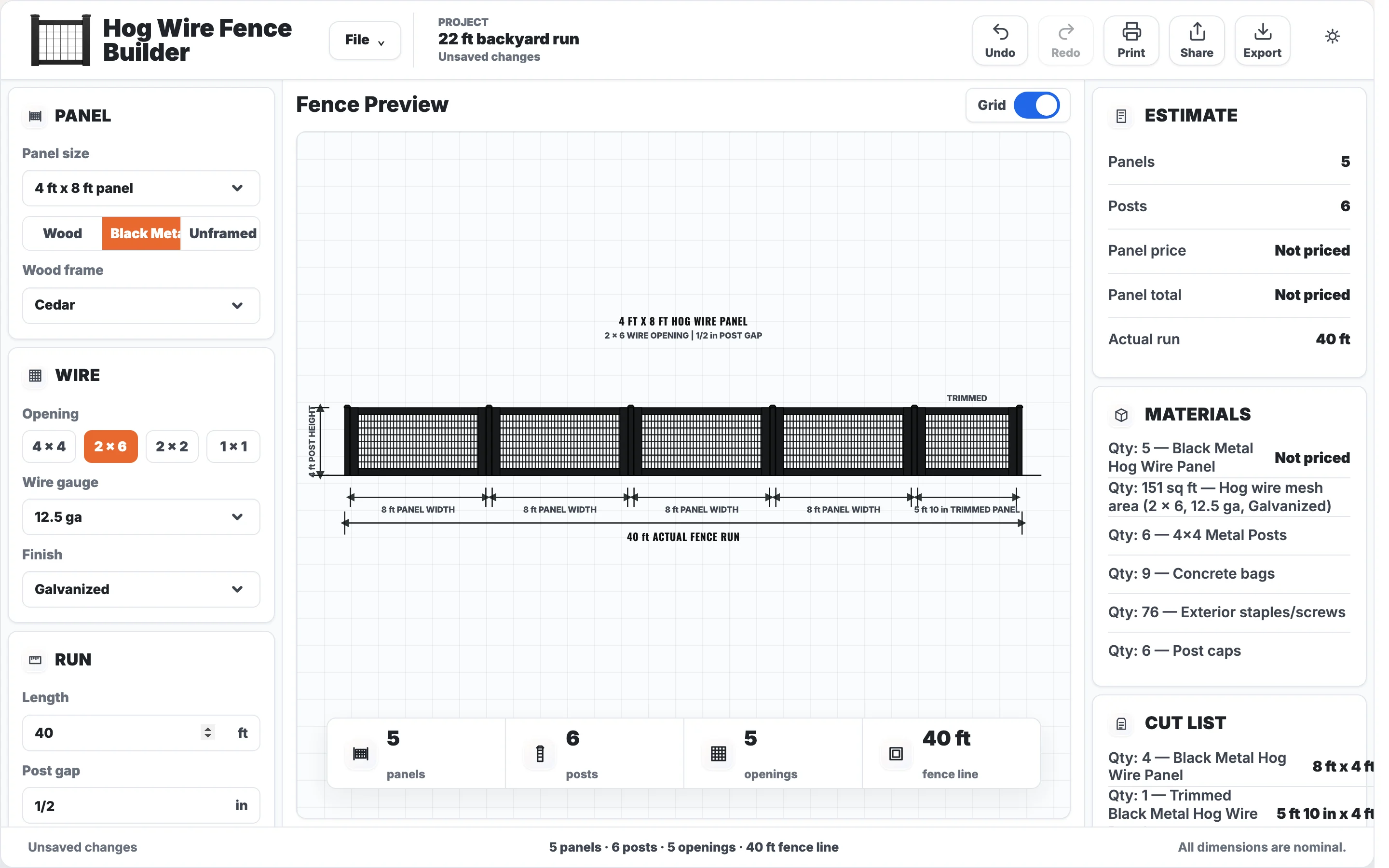
The center of the screen is a dimensioned elevation drawn from the same numbers as the estimate. Each panel width, the trimmed panel, post height, and the actual fence run are labeled on the drawing.
A summary bar under it repeats panels, posts, openings, and fence line, and the status bar tracks unsaved changes.
From settings to a shopping list
Four inputs.
Three lists out.
The controls follow the order a fence is built: the panel, the wire, the run, then the posts. The right column turns those choices into an estimate, a materials list, and a cut list.
- PanelNine sizes or custom, wood, black metal, or unframed
- Wire4 × 4, 2 × 6, 2 × 2, or 1 × 1 opening, gauge, finish
- RunLength and the gap at each post
- PostsSize, wood or metal, height, burial depth
Estimate and materials
Counted from the layout every time a setting changes.
- Panels
- Posts
- Panel price
- Panel total
- Actual run
- Wire mesh area
- Concrete bags
- Fasteners
- Post caps
Cut list
What to cut or order before the crew starts.
- Full panels
- Trimmed panels
- Post height above grade
- Post stock with burial
- Wire spec
- Frame stock
Prototype limit The estimate prices panels only. Posts, concrete, hardware, and labor are counted but not priced, and saved projects live in the browser.
On a phone
One column,
in build order.
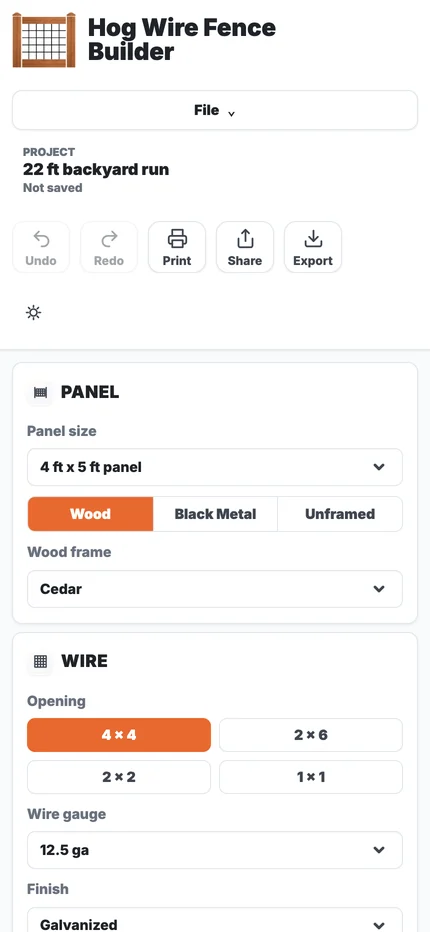
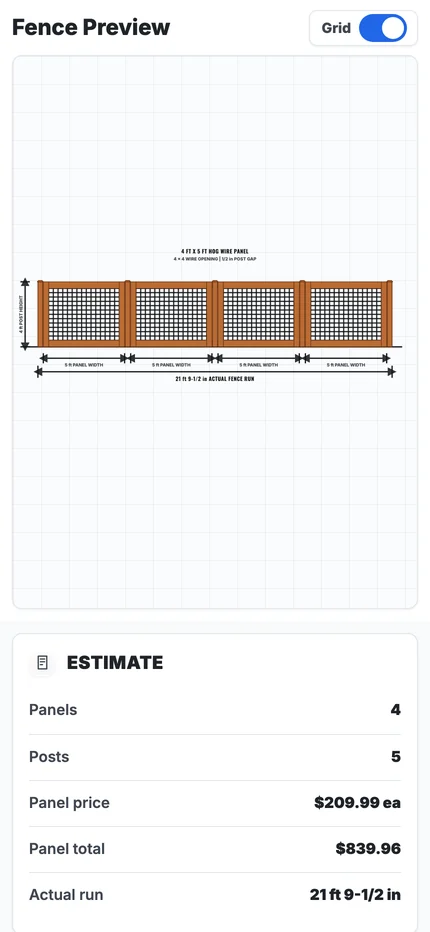
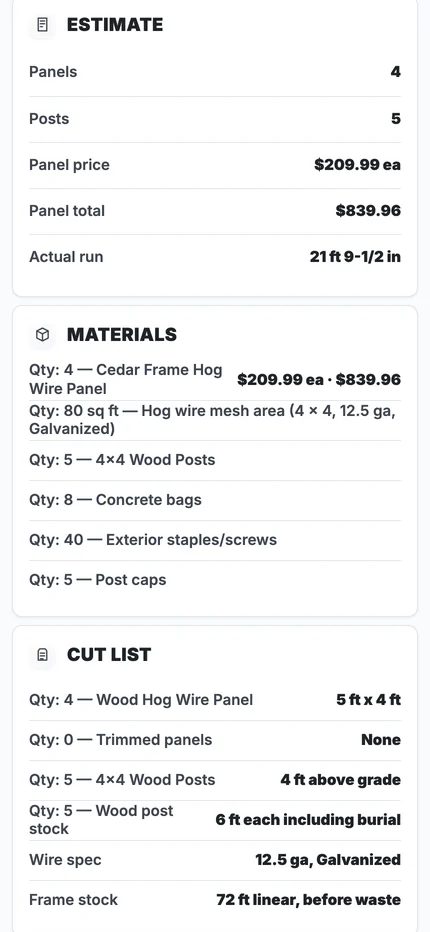
On a phone the three columns stack: the controls first, then the drawing, then the estimate, materials, and cut list. Opening choices become large tap targets in a two-by-two grid.
The drawing scales to the screen width, so long runs get small; the lists below carry the exact numbers.
What we made
A fence plan
anyone can check.
Layout engine
Fits panels to the run, trims the last panel, and places posts from panel width, post size, and gap.
Dimensioned drawing
An SVG elevation with panel widths, post height, and the actual run labeled, redrawn on every change.
Estimate, materials, and cut list
A panel price table by size, wire, and frame, plus counts for mesh, posts, concrete, fasteners, caps, and frame stock.
Project tools
Saved projects, undo and redo, print, share, JSON export, and a print-to-PDF plan.
If the drawing is right,
the count is right.

Project lead
Nathan Staker
Nathan led the fence math, the layout engine, and the build of the configurator.
The deciding judgment was to drive the drawing, the estimate, and the cut list from one calculation, so the picture a customer checks is the same plan the materials are counted from.
Meet the studioYour next chapter
Estimating from
a spreadsheet?
If your quotes depend on counting parts by hand, we can build the tool that draws the job and counts it for you.
Start a project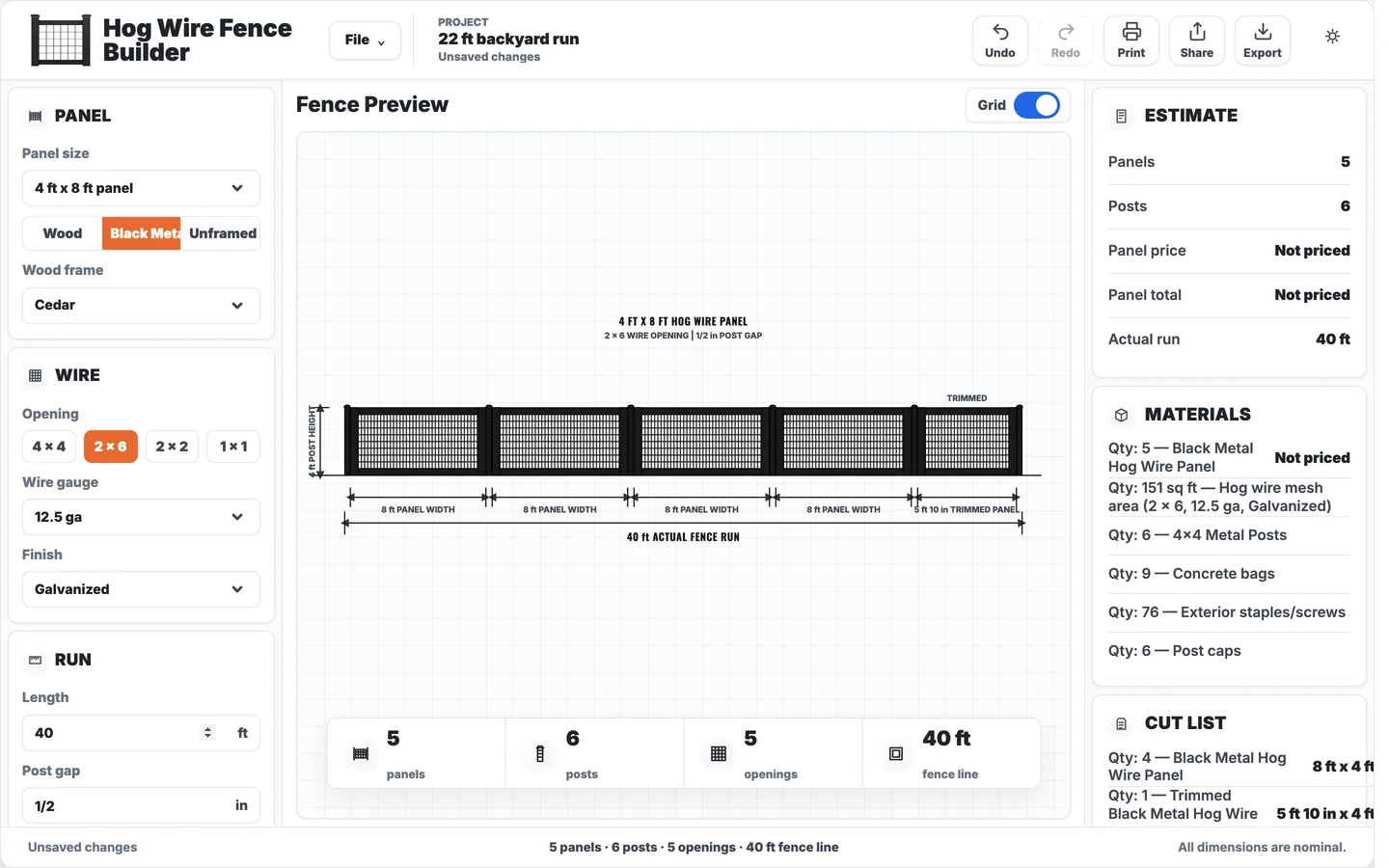
More Collins Creative work