Redwood Fences Residential fence designer
Plan the yard.Count the fence.Plan the yard.Count the fence.
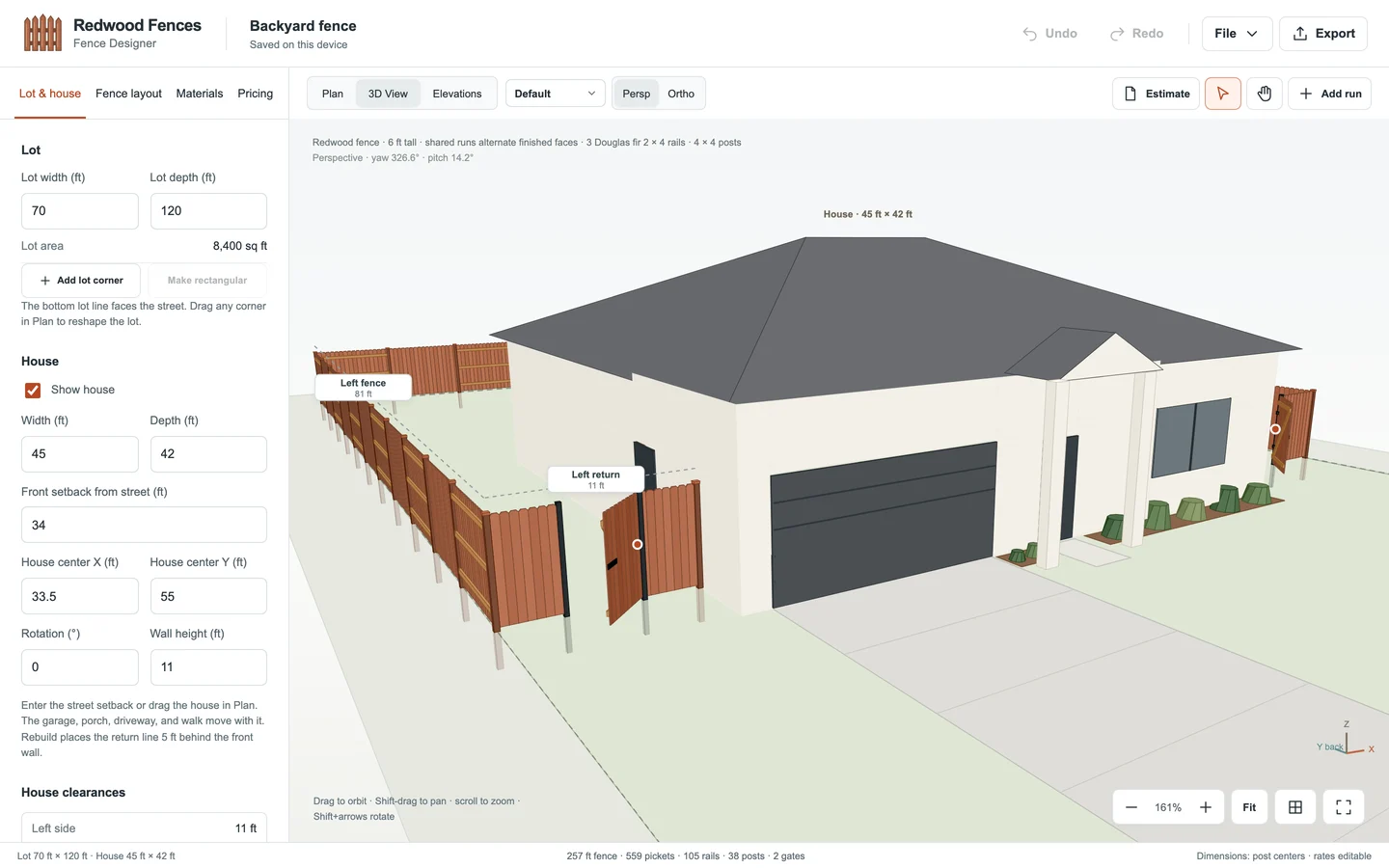
A fence starts with a property, not a parts list. We built a designer that brings the lot, house, fence lines, gates, and estimate into one workspace. Change the plan and see what it means in 3D and in materials.
The designer, interactive
Start with the site.
Explore every side.
Change the lot and house dimensions, switch between Plan, 3D View, and Elevations, or open the materials and estimate panels.
This is an isolated copy of the public designer. Rates are samples for planning, and saved projects stay on your device. It does not place an order or submit a quote.
The challenge
A fence has to fit
the whole property.
A run length alone leaves questions unanswered. Where does the house sit? How much room remains down either side? Where can a gate go, and what happens to the posts and panels around it?
The design problem was to make those relationships visible while keeping the quantities connected. A plan, a 3D scene, and an estimate needed to describe the same fence.
The site plan
Place the house.
Resolve the fence.
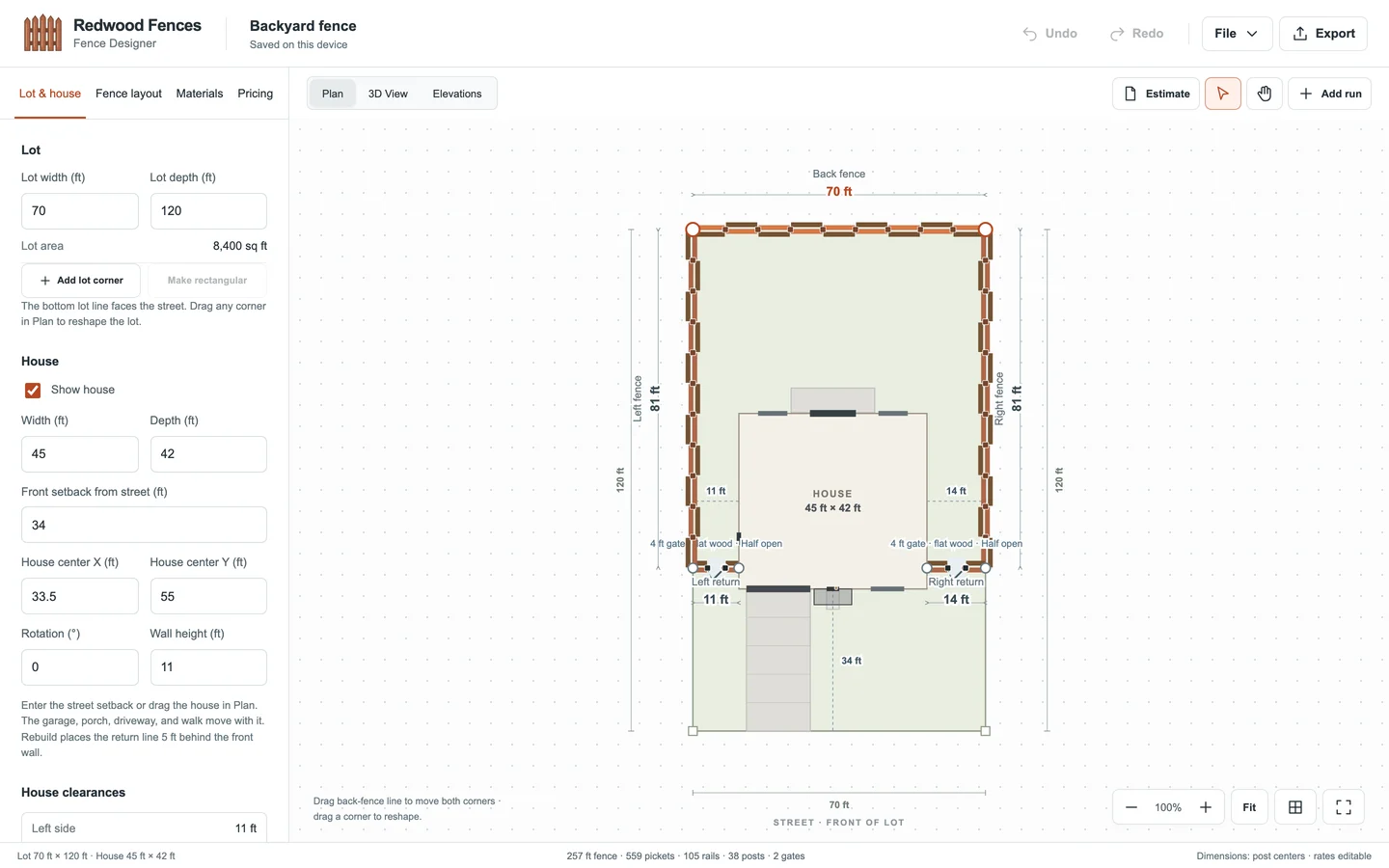
The lot and house have their own dimensions. The plan shows the footprint, fence endpoints, and openings together, with tools for moving corners and editing runs.
House clearances help explain the available space. Gate controls make opening width, hinge side, and swing part of the design rather than a note added afterward.
From geometry to quantities
The drawing and
the list agree.
Fence runs determine bays, posts, rails, pickets, panels, and openings. The materials panel turns those choices into itemized quantities and costs, while the cut list explains the pieces behind the design.
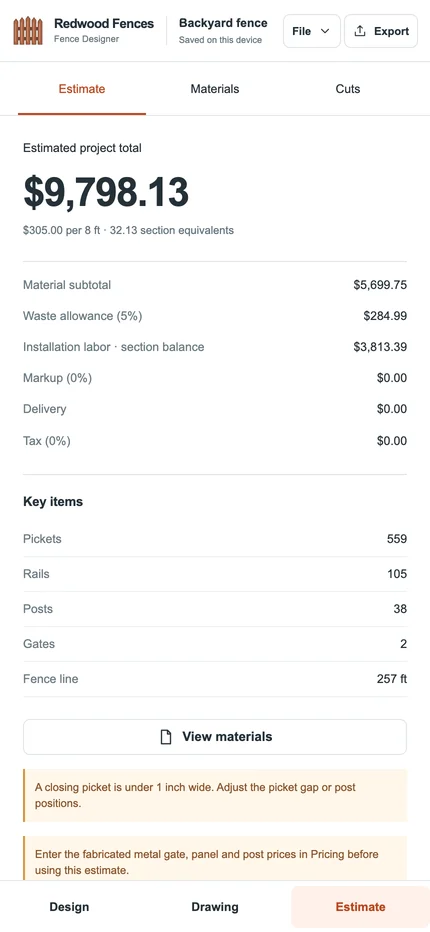
Pricing controls let a user adjust project rates. The estimate exposes material, waste, and other cost allowances rather than presenting a sample total as a supplier quote.
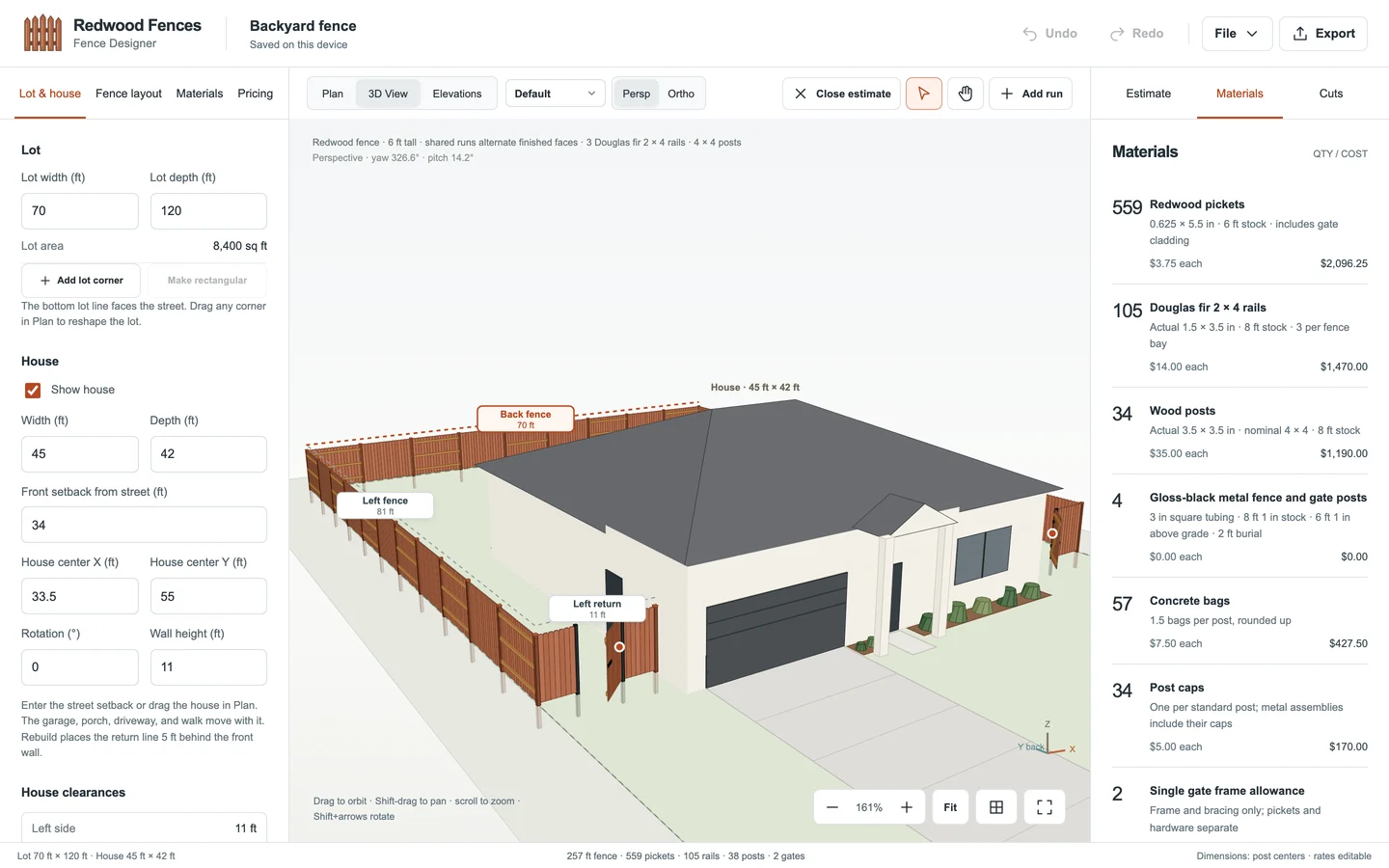
Planning estimate Sample rates are editable. Site measurements, construction details, and supplier pricing need confirmation before purchasing or building.
On a phone
A workspace that
changes with the task.
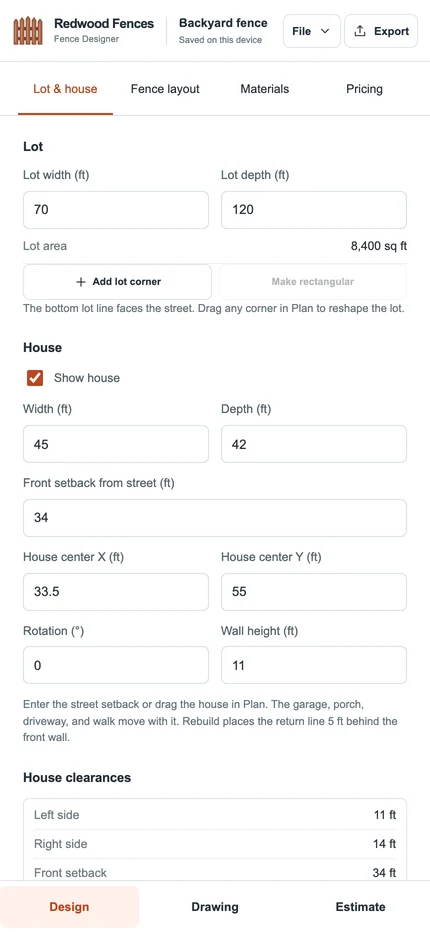
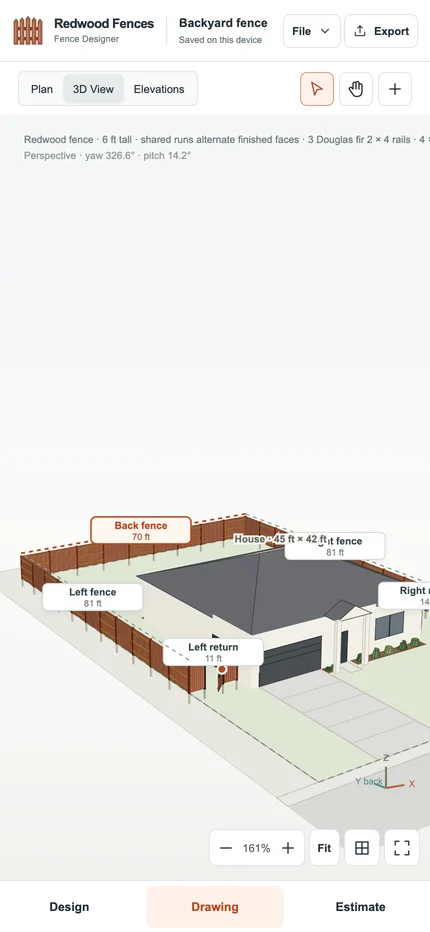
Design, Drawing, and Estimate become separate mobile panels. The canvas gets room to show the property, and the controls and quantities remain a tap away.
The same project carries through all three panels. There is no separate mobile calculation to keep in sync.
What we built
One project.
Several ways to use it.
Site and fence geometry
Lot boundaries, house placement, connected fence runs, and gate openings share one project model.
Interactive drawings
A plan, orbitable 3D view, and elevations provide different ways to inspect the design. Camera presets change the view without changing the fence.
Quantities and pricing
Materials, cuts, and editable rates turn the layout into a planning estimate with its assumptions exposed.
Project continuity
Undo and redo, device-local saving, JSON backup, drawing SVG, materials CSV, and print keep the work useful beyond the canvas.
Draw it once.
Understand it from every side.
Product design + development
Built by Collins Creative.
We connected the interface, site geometry, drawing views, and estimating workflow into a single browser-based tool.
The central decision was to keep the property model separate from the camera and interface state. A different view should reveal the project, not change it.
Your next chapter
Does your product
need a configurator?
We build tools that help people see their options, understand the details, and turn a design into a useful estimate.
Start a projectMore Collins Creative work