Staker Collins · Flip OS Custom software · operations platform
Every flip, from first lead to final profit,in one operating system.Every flip, fromfirst lead to finalprofit, in oneoperating system.
We designed and built a custom command center for running a property-flipping business, bringing deal sourcing, underwriting, rehab budgets, schedules, vendors, expenses, files, and project performance into one focused product.
The product, interactive
Open a property.
Act on it.
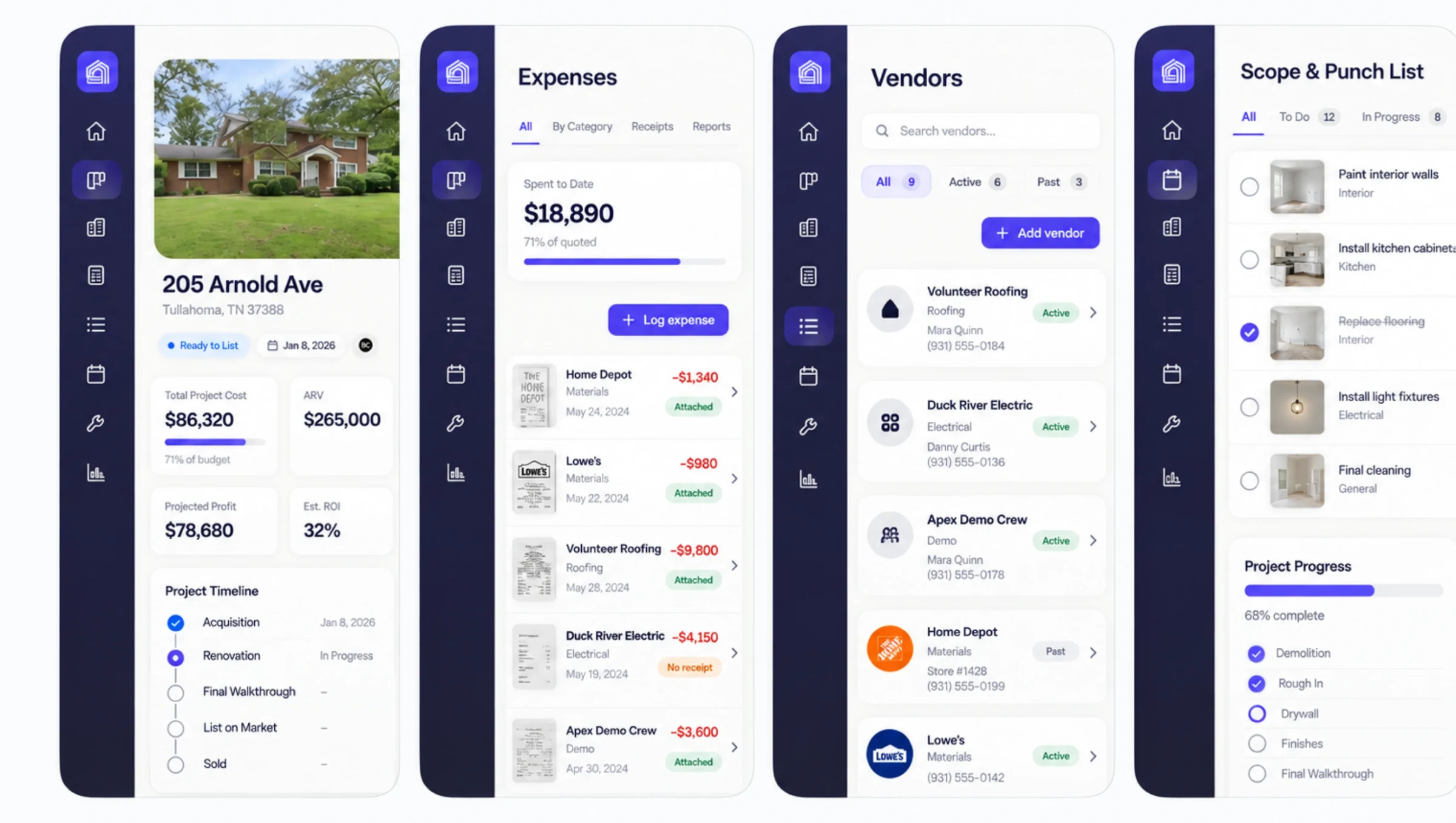
This is the working product preview, not a mockup. Move through the portfolio, open 205 Arnold Ave, and step through expenses, vendors, and the punch list on desktop or on a phone. Sample data only.
The challenge
Every property was moving. The information wasn't.
A flip moves through dozens of connected decisions: find the lead, run the offer, confirm financing, scope the rehab, schedule crews, approve invoices, collect receipts, list the property, and understand the final return. When those decisions live across spreadsheets, texts, inboxes, and point tools, the team spends more time reconstructing the truth than acting on it.
Staker Collins needed one place that could show what is happening now, what needs attention next, and what every property is projected to return.
The operating model
We designed the system
around the life of a flip.
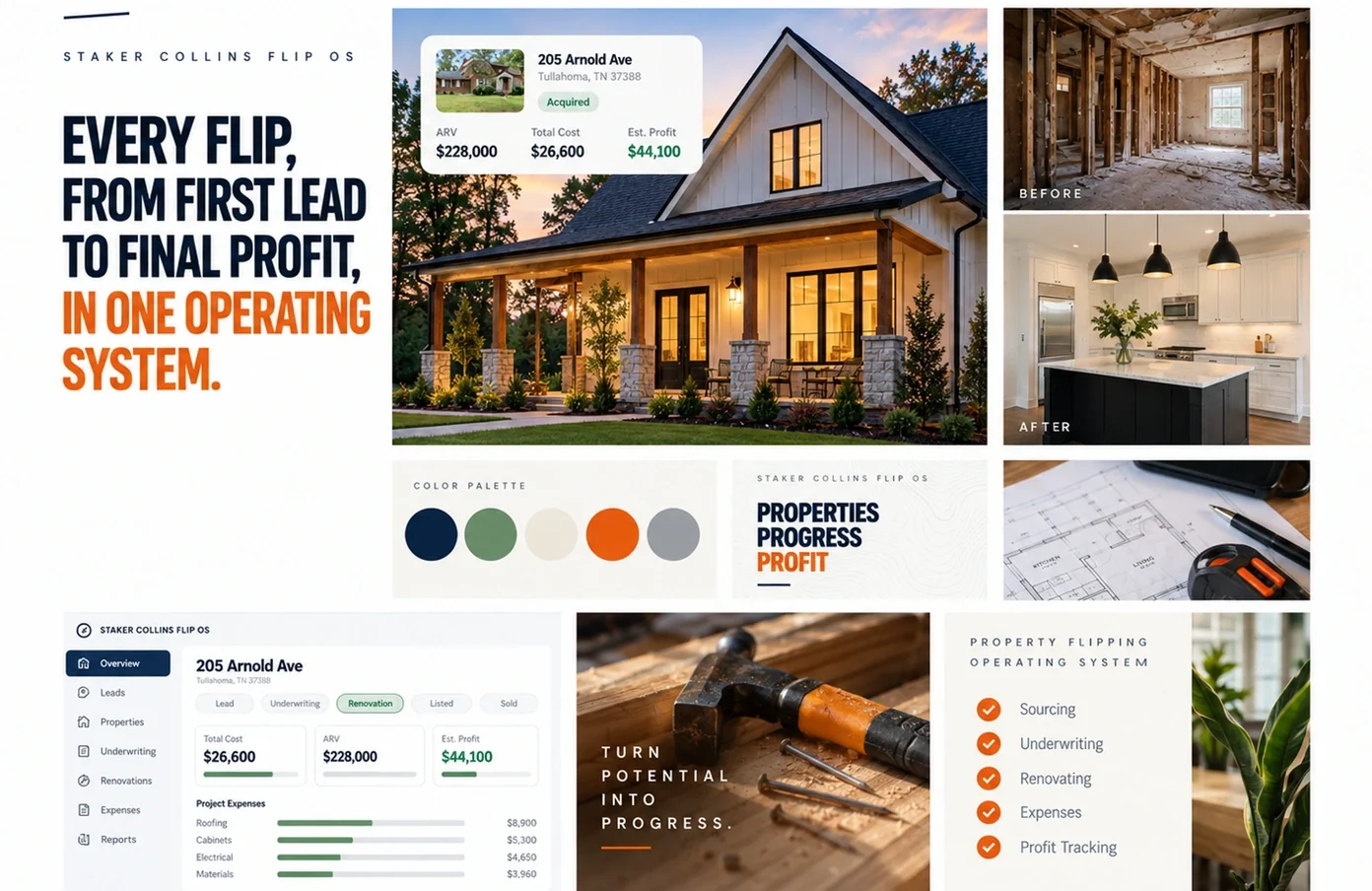
Before designing screens, we mapped the work from lead intake through closeout. The product mirrors that operating model: a portfolio-level command center for the whole business, then a complete property workspace for the people, money, documents, and next actions attached to each address.
One address. Everything attached to it.
- Lead pipeline and property evaluation in one connected flow.
- Offer calculations, projected profit, financing, and rehab budgets.
- Tasks, schedules, vendors, files, expenses, and receipt coverage by property.
- Portfolio-level visibility into active projects, risk, and projected return.
The property workspace
One property record connects
the budget to the receipts.
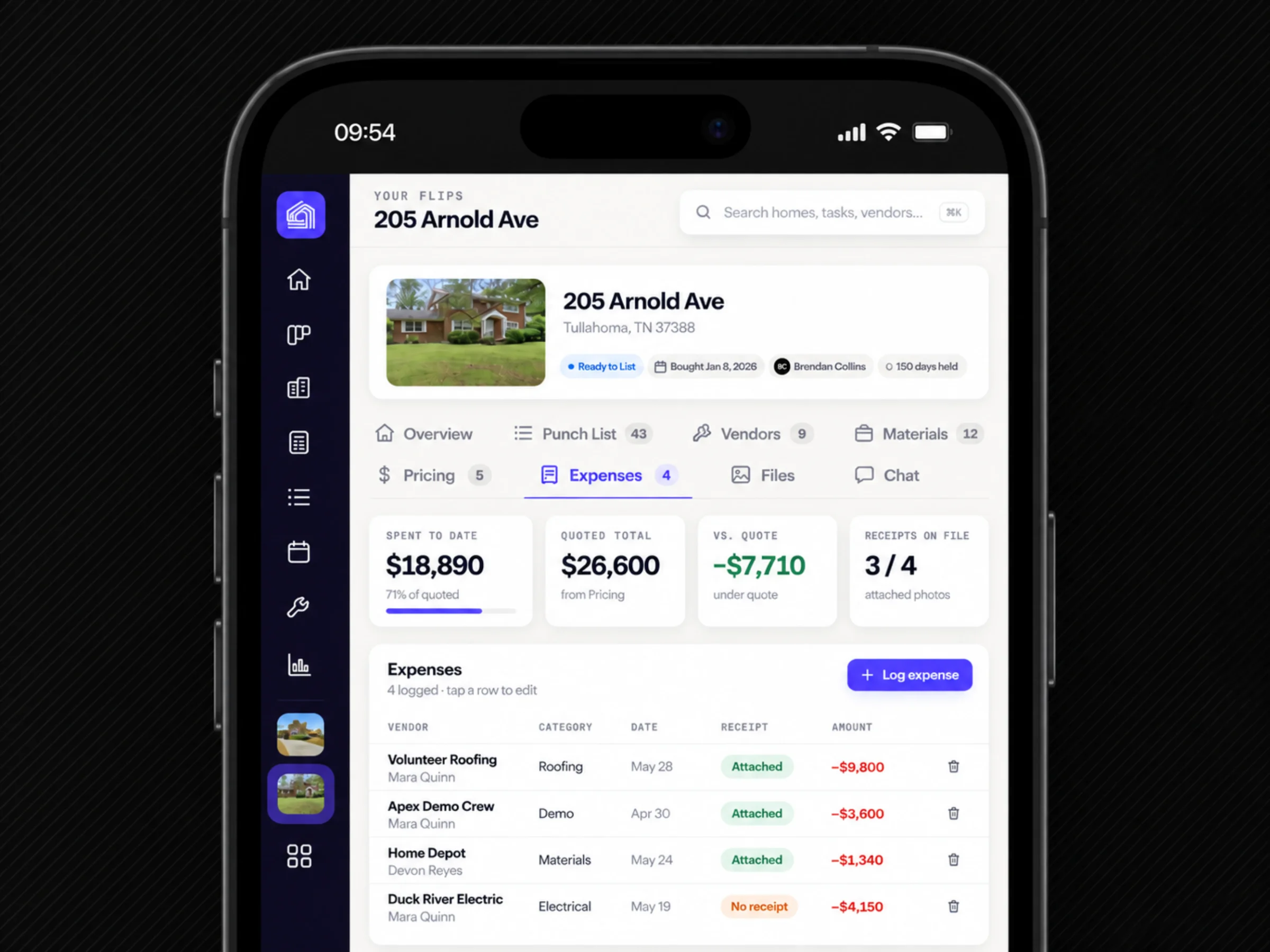
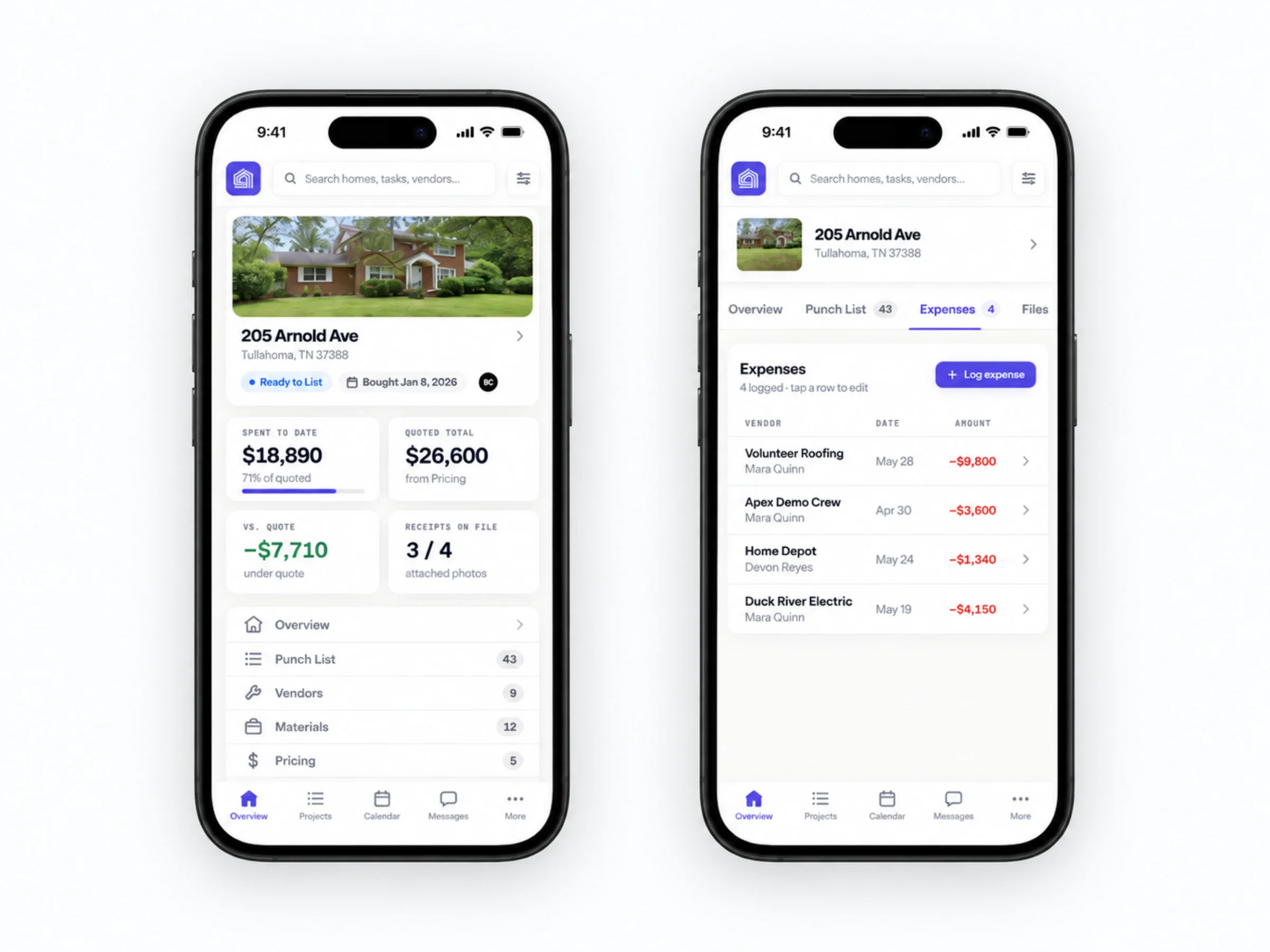
Spent to date, quoted total, variance against quote, and receipts on file sit above the expense ledger. Every line names the vendor, the category, the date, and whether a receipt is attached, so approving a cost or chasing a missing receipt happens in the same place the number lives.
Budget, ledger, and receipts, one screen.
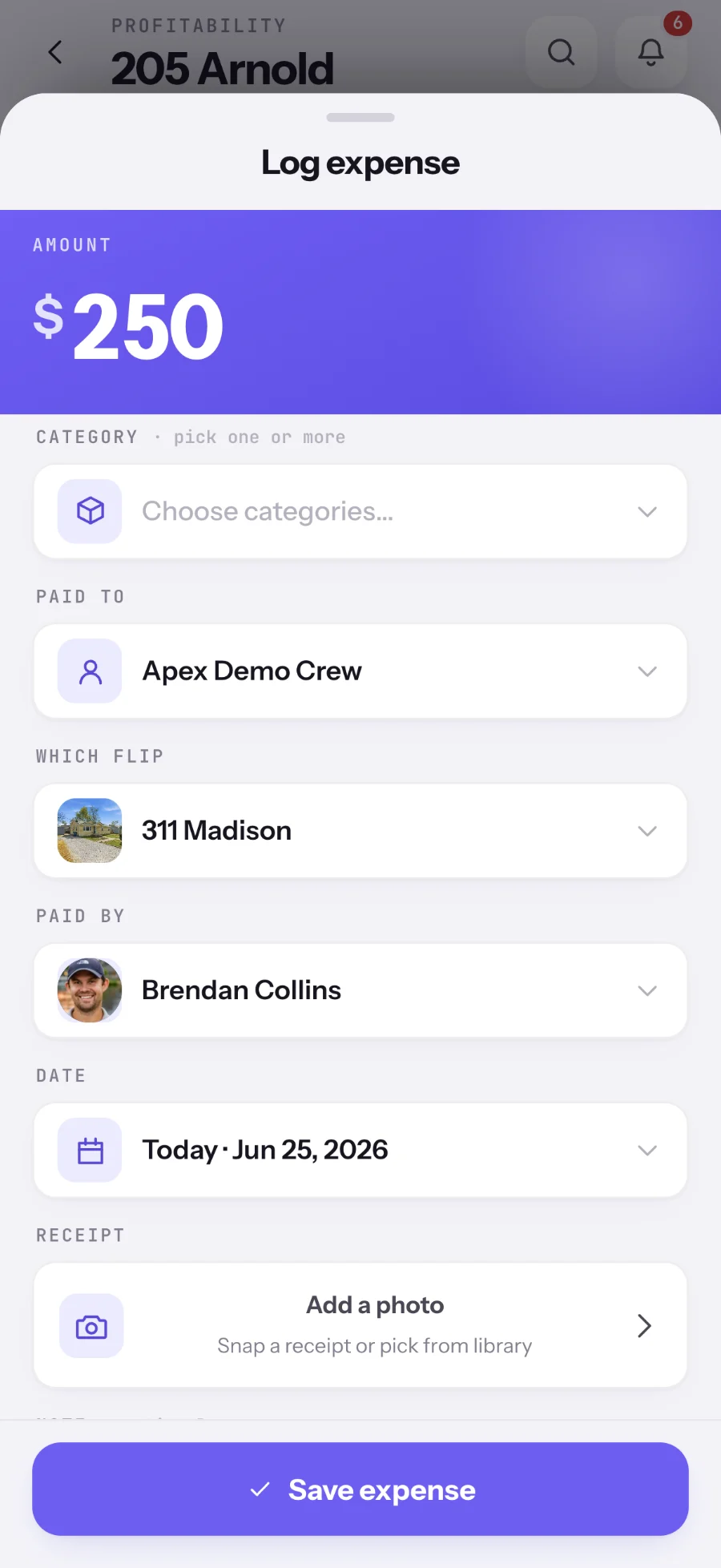
Capture it from the jobsite.
On the phone
The same workspace,
between site visits.
The property overview, punch list, vendors, materials, and pricing stack into a phone without losing the numbers that matter: spent to date, quoted total, and how far under quote the project is running.
Expenses on mobile is the same ledger as the desktop, so a cost logged in the truck shows up in the office the moment it saves.
The result
The business can see
the next right move.
A working decision system
Flip OS turns scattered operational data into a working decision system. Instead of asking where a number came from or which message contains the latest update, the team can open the property and act: approve the expense, follow up with the vendor, confirm the schedule, or move the deal forward.
Product strategy + UX/UI
The operating model mapped first, then a portfolio command center and a complete property workspace designed around it.
Full-stack development + automation
Property data, finance, tasks, files, and decisions connected in one model, with receipt coverage and variance tracked automatically.
Built to grow with the operation
New workflows can join the same property model without forcing the team back into disconnected tools.
The system doesn't just store the work. It makes the next decision clear.
Project lead
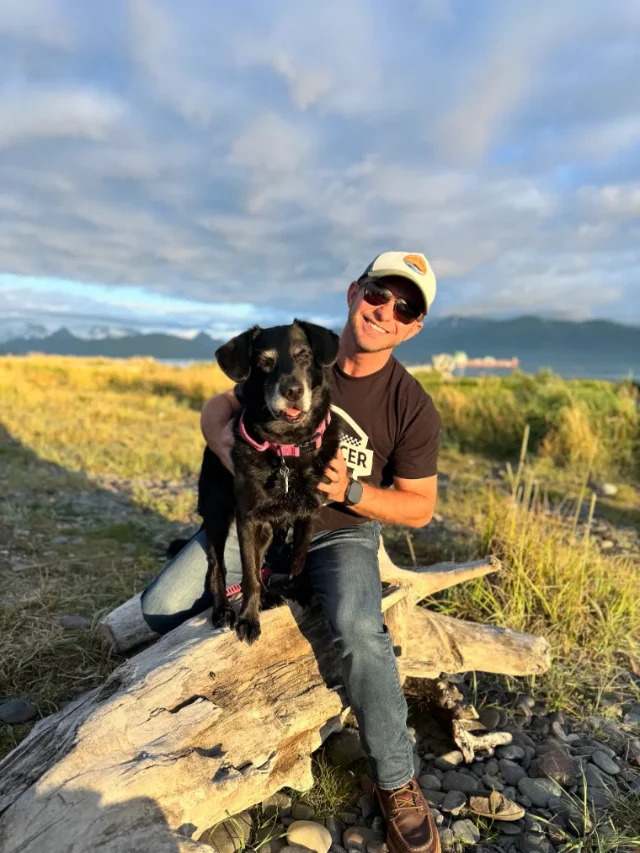
Nathan Staker
Nathan leads architecture, back-end systems, and automation, with a degree in Management Information Systems and over a decade in technology and systems design.
On Flip OS, his focus was turning a real operating model into dependable software: connecting property data, finance, tasks, files, and decisions without making the product feel heavy.
Meet the studioYour next chapter
Still spread across
too many tools?
Send us a note. We'll show you what a system built around your business could look like. No obligation, no jargon.
Start a projectMore Collins Creative work